


- Ask in Plain English, Get a Report on Repeat: Any natural-language question can become a recurring scheduled report with one follow-up instruction.
- Full Control Over Delivery: Recipients, frequency, and manual triggers are all configurable.
- Built for Recurring Risk Checks: Common use cases include dormant admin accounts, partially offboarded users, and orphaned accounts.
- Closes a Persistent Gap: Recurring reports catch what falls outside normal governance processes.
TL;DR
Any identity-related question you ask once, might be worth asking again. What contractors have admin access to company apps? How many AI agents are currently in use? How many partially offboarded users do we have? AI-scheduled reports let you turn any question into a recurring report that runs on your schedule.
The Linx AI Agent
The Linx AI Agent sits on top of your connected identity graph (users, non-human identities, entitlements, resources, and the relationships between them) and uses reasoning to help you find insights and take action. You use it by asking plain-English questions (for example, who has admin access in a given system, or where risky access is coming from), and it returns answers plus context-based recommendations for common workflows like access requests, user access reviews, access profiles, and custom reporting. Where you’ve granted permission, it can also trigger the next step, like kicking off remediation options or executing an approved action, so investigations and cleanups don’t die in tickets and spreadsheets.
AI-scheduled reports
Using the Linx AI agent, you can turn any question into a recurring scheduled report. For example, one customer recognized a pattern of questions he always gets on a weekly meeting, so he automated the answers for those into reports that land in his inbox every week before the meeting.
To set up a scheduled report, start by asking a question:
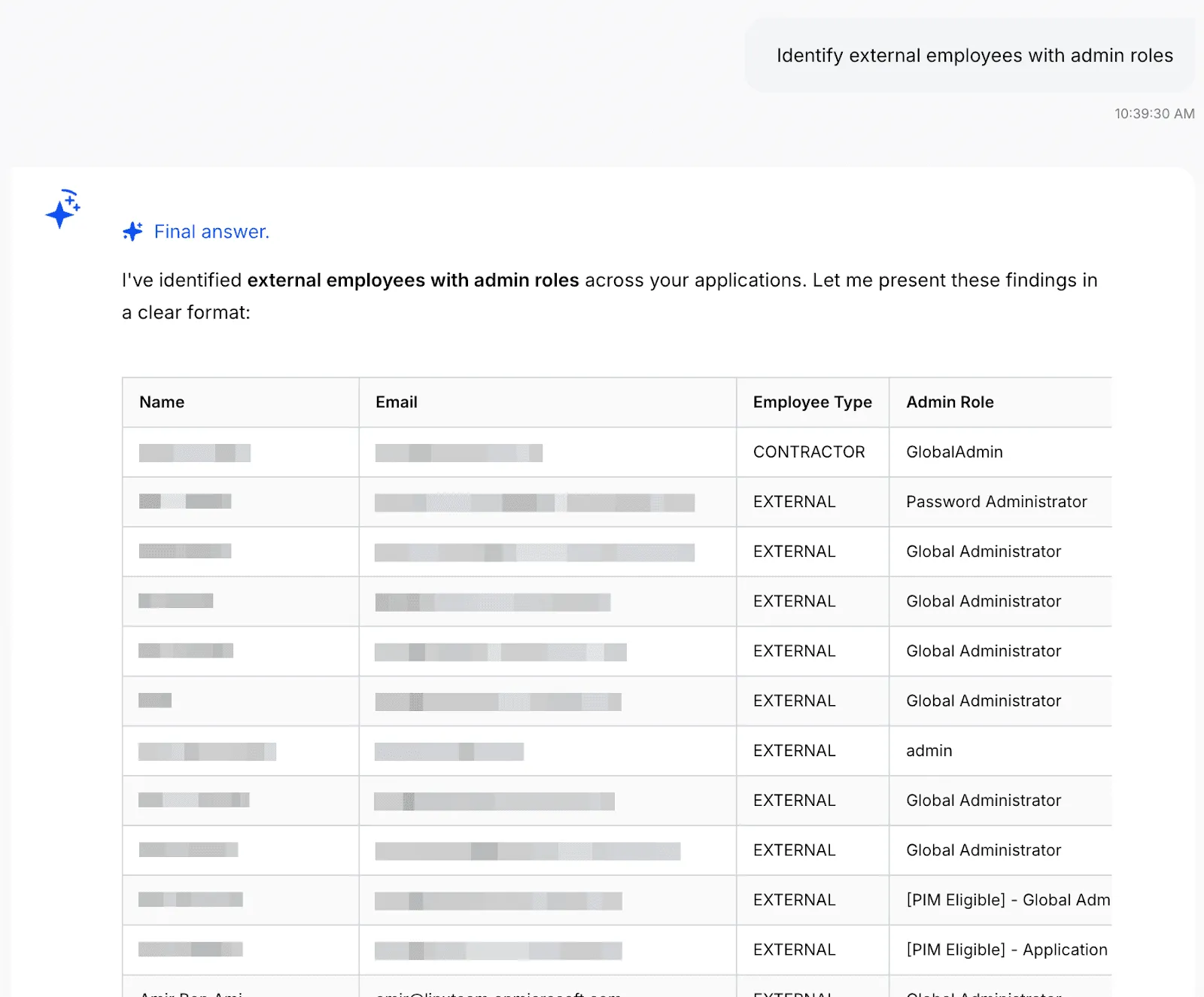
You can keep investigating until you get the data you want, once you do, tell the agent to turn it into a scheduled report:

And that’s it! You’re also able to configure the report to add additional recipients, change the frequency, or manually run the report now. Once you set it up, the report will show up on the configured inboxes on the schedule you set:

Example use cases
Any question that can be answered with data neatly arranged in a table can be turned into a report. Here are some of the most common questions we see our customers use:
- “List dormant admin accounts” - The AI Agent will find accounts with elevated privileges that haven't been used recently, as these could potentially present a security risk. Customers often run a recurring check for these accounts.
- “Detect partially offboarded users” - A partially offboarded user is someone whose lifecycle status indicates they should be fully deactivated, but they still have active accounts in some applications. This represents an incomplete offboarding process and poses a security risk. Large companies tend to have more churn, so identity teams regularly run this check to reduce their attack surface as part of their identity lifecycle management process.
- “List all orphaned accounts” - This reveals accounts that exist in your applications but have no corresponding identity in your authoritative identity sources (HR systems or Identity Providers like Okta/Azure AD). These "orphaned" accounts often result from incomplete offboarding processes, manual account creation, or integration gaps. Orphaned accounts are a significant security risk because they exist outside your normal identity governance processes and are unmonitored, unmanaged, and often forgotten.
- “List all AI agents with their permissions and resource access” - With AI agents on the rise, we’re seeing identity teams prioritizing visibility and governance over them. This report provides a complete inventory of all AI agents in your environment, showing their names, associated applications, tools and permissions they have access to. As AI agents are autonomous software entities that can interact with critical systems and data, they represent a growing security and governance challenge.
Get Started
Linx customers typically get valuable insights on day one. To learn more about how Linx can work for you, book a demo with one of our specialists.
What's next?