

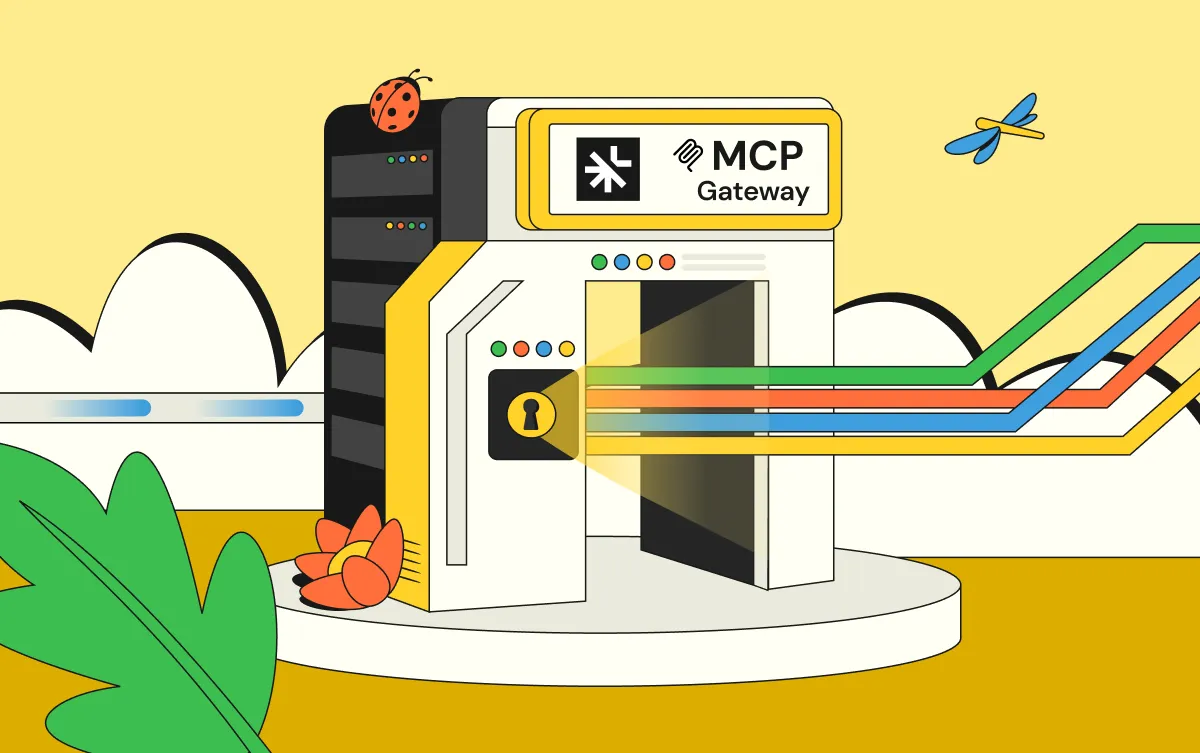
Featured
Jun 9, 2026
Introducing Linx AI Access Control: Real-Time Governance for AI Agent Actions


For decades, identity governance has been built around a relatively straightforward process. An employee joins an organization, HR creates a record, IT provisions access, and eventually, when that employee changes roles or leaves, their access is updated or removed.
That model became the foundation for traditional identity governance and administration (IGA). HR systems served as the authoritative source for workforce information, while identity governance platforms helped organizations manage provisioning, certifications, and employee access throughout the lifecycle.
It worked for the world it was designed to serve. But that world looks very different today.
Enterprises now operate with an expanding universe of identities that extend far beyond their employees. Service accounts connect critical applications. Machine identities authenticate workloads and automate processes. AI agents access enterprise data, interact with business systems, and increasingly execute actions that once required human intervention.
These identities don't have employee records, job titles, or traditional reporting structures. They don't join through onboarding, and they don't necessarily leave when someone updates an HR system. Yet they can hold extensive permissions, access sensitive information, and introduce significant security risks.
Your HR system can tell you who works for your organization. It cannot tell you everything that they have access to.
That's the fundamental problem with treating identity security as an extension of HR technology. The enterprise identity attack surface has expanded beyond the workforce, and the systems responsible for securing it must evolve accordingly.
HR systems remain important to identity governance. They provide essential information about employees, organizational relationships, and lifecycle events. That information supports access provisioning, role changes, and deprovisioning, and it will continue to play an important role in managing workforce identities.
But HR data is only one piece of a much larger identity security picture.
Consider the non-human identities operating across a typical enterprise. Service accounts maintain integrations between applications. API keys enable systems to exchange data. Cloud workloads authenticate to infrastructure and services. Automated processes execute tasks without direct human involvement.
These identities are often created outside formal provisioning workflows. Their permissions may accumulate over time, ownership can become unclear, and access can persist long after the original business purpose has disappeared.
(adding to this complexity is the introduction of a new class of identities, AI Agents) Now introduce AI agents.
Unlike traditional service accounts, AI agents can (are able to) operate with increasing autonomy. They may retrieve sensitive information, interact with multiple applications, invoke tools, execute workflows, or (even) take action on behalf of employees and business systems. Their access requirements can change depending on the task they're performing, and the implications of excessive permissions can extend well beyond a single application.
An AI agent doesn't need an employee record to access customer information. A machine identity doesn't need a manager to accumulate administrative privileges. And (similarly, ) a service account doesn't become less risky simply because it never appeared in an HR directory.
This creates a fundamental challenge for HR-centric identity governance. HR platforms are designed to understand people and their relationship to an organization. They are not inherently designed to discover every machine identity, evaluate AI agent permissions, or continuously assess identity risk across cloud and enterprise infrastructure.
The problem isn't that HR systems are failing. It's that identity security has become a much bigger responsibility than HR was ever designed to manage.
Enterprise technology is consolidating. Organizations want fewer vendors, better integrations, and more value from the platforms they already use. It's understandable that identity governance capabilities are increasingly appearing within broader enterprise software offerings.
But having identity governance functionality and having a comprehensive identity security strategy are not the same thing.
An HR platform may provide valuable employee lifecycle information. An identity provider may manage authentication and access. An IT service management platform may orchestrate requests and approvals. Each plays an important role, but none of those individual functions represents the full scope of enterprise identity security.
Identity security requires visibility across applications, cloud environments, directories, infrastructure, and every identity capable of accessing them. It requires understanding permissions, ownership, risk, and the relationships between identities and resources. (perhaps most importantly, ) It requires continuous governance and the ability to remediate inappropriate access. (from the same system)
Most importantly, it must operate independently of where an identity originated.
When identity governance becomes a secondary capability within a larger business platform, organizations need to ask whether that capability can truly address the breadth of their identity attack surface. Can it discover non-human identities that have no relationship to HR? Can it (is it able to)evaluate permissions granted to AI agents? Can (Does) it identify excessive access across systems outside its native ecosystem? Can (will) it connect governance decisions to security risk and remediation?
These are not edge cases. They are increasingly central to enterprise security.
Identity security cannot be defined by the capabilities of a single HR platform, identity provider, or enterprise application. Its scope must be determined by the identities, permissions, and risks that exist across the organization.
Identity security is not an HR function with additional security features. It is a security discipline that requires its own strategy, visibility, and controls.
For years, the identity industry has worked to move beyond static, employee-centric governance. Traditional IGA platforms focused heavily on scheduled access reviews, predefined roles, and lifecycle events. Those capabilities remain necessary, but they were developed for environments where identity changes were more predictable.
Today's identity environment is anything but predictable.
Access changes continuously. New applications are introduced, permissions accumulate, machine identities multiply, and AI agents are deployed into workflows that previously required human intervention.
An employee can be provisioned correctly and still accumulate unnecessary access over time. A service account can retain administrative privileges long after its original purpose disappears. An AI agent can (may) be granted access to multiple systems even when its assigned task requires only a fraction of those permissions.
In each case, the original access provisioning process may have worked exactly as intended. The security risk emerged afterward.
This is why governance cannot end when access is granted. Organizations need continuous visibility into how identities are configured, what permissions they hold, whether those permissions remain appropriate, and what actions are necessary when risk is identified.
Returning to an HR-centric approach as the primary model for identity governance would be a step backward. It would reinforce the assumption that identity security begins and ends with the employee lifecycle, precisely ( at a moment) when the industry needs to expand its understanding of what constitutes an identity.
The future of IGA isn't about bringing more identity security functionality into HR systems. It's about bringing identity governance closer to security.
The next generation of IGA isn't about abandoning traditional governance. Organizations still need user access reviews, lifecycle automation, access requests, separation of duties, and audit evidence. Those requirements remain essential to managing access and demonstrating compliance.
But modern IGA must extend beyond executing governance workflows. It needs to combine three fundamental capabilities: discovering identities, securing access, and governing permissions continuously.
You cannot secure an identity you don't know exists.
Modern identity security begins with comprehensive discovery across SaaS applications, cloud environments, directories, and enterprise infrastructure. That includes human identities, non-human identities, and AI agents, regardless of where they originate or how they authenticate.
Discovery must also establish (reliabl)context. Security teams need to understand who or what owns an identity, which resources it can access, what permissions it holds, and how it connects to other systems and identities.
An inventory of accounts is useful, but it isn't (is insufficient) sufficient. Organizations need a connected understanding of their entire identity attack surface.
Discovering identities is only the beginning. Organizations must also understand whether the access those identities possess introduces risk.
That means identifying excessive permissions, orphaned accounts, dormant identities, risky access relationships, and inappropriate privileges. It also requires recognizing that access which was appropriate yesterday may no longer be appropriate today.
This becomes especially important with non-human identities and AI agents, where traditional employee-based signals may not exist. Security teams need to evaluate access based on ownership, permissions, activity, context, and the potential impact of misuse.
Modern identity security must continuously surface and prioritize (an remediate) meaningful risks rather than relying exclusively on periodic reviews or manual investigations.
Visibility and risk detection matter, but neither reduces exposure on its own.
Organizations need to translate identity security findings into action. Access reviews should provide meaningful risk context. Lifecycle processes should remove unnecessary permissions. Governance workflows should support timely remediation, and security teams should be able to address identified issues without creating another lengthy manual project.
For AI agents, governance must also account for what those identities are authorized to do, not simply whether they exist in an inventory.
Discovering risk, understanding its implications, and taking action should be part of one continuous process.
Discover. Secure. Govern.
These capabilities shouldn't be disconnected tools or isolated workflows. They should operate together (in a common platform) as the foundation of modern identity security.
This week, the 100th person joined Linx.
I keep thinking about what each of them actually did. At some point, every one of them sat across from us and made a decision that didn't fully make sense. They left a safe job, a known brand or an easier path to bet their career on a young company with a big idea.
One hundred people said yes. I don't want to let that moment pass as just a number.
At its core, Linx answers one question for the world's largest enterprises: who should be trusted with what?
Which employee should have access to which system. Which service account still needs the keys it was given three years ago. Which AI agent is allowed to act on someone's behalf, and who is accountable when it does.
It took me a while to notice that building a company comes down to the same question. Every hire is an act of trust. So is every customer who lets us govern access to their most sensitive systems, and every investor who backs a team before the market proves them right.
When I look at 100 Linxers, what I see is 100 acts of trust. That's the thing I'm most grateful for.
In 2023, Niv and I started Linx. Before we hired anyone, the two of us sat down and wrote nine values.
It felt a bit strange to write a culture document for a company of two. But we'd all seen what happens when culture isn't designed on purpose. It gets designed for you, usually by accident, usually at the worst time.
Three of them say the most about who we've become.
Customer obsession. In 2024, a CISO we were still running a proof of value with messaged me in the middle of our company event. One of his employees had been breached, and he needed help. Within minutes, Niv and two teammates were on a call with him. Within a day, he had a report with exactly what to do, and he used it to contain the incident. He wasn't even a customer yet. He told us we'd just won a customer for life.
We care. When you grow from two people to a hundred, you don't just build a company together. You live life together. Over these years we've celebrated births and weddings, and we've stood by each other through times of loss. Whatever is happening in a Linxer's life, the company shows up. We set out to build a business. Along the way, we built a family.
Stay humble. Every customer conversation starts with listening. We never assume we know a CISO's environment better than they do, and we never treat a win as a reason to stop learning. The best idea at Linx can come from anyone, on any team, on their first day or their thousandth. The moment we think we've figured it all out is the moment we stop getting better.
Those values have been in every hiring decision since. What I didn't expect is how much the team would change them. Values on a page are a promise. One hundred people living them every day is what makes them true.
The bar is set by the latest hire, not the first. Every person who joins either raises the standard or lowers it. Nobody stays neutral. Our team has a habit of hiring people who make them a little nervous, in the best way. That's why the 100th Linxer is as exceptional as the 10th.
Speed is a form of respect. Enterprises have spent years deploying identity platforms that never quite delivered. When a customer gives us a week to prove ourselves, that week matters to them. Going live in weeks instead of years isn't just a technical result. It's how we show customers we value their time.
Enterprise trust is earned every day. When a global enterprise runs identity governance on Linx, they expect the same standard they'd expect from any platform at the core of their security. We build, support and show up like it, because that trust is the reason we exist.
For most of the history of security, identities meant people. That's no longer true.
AI agents now work inside every enterprise. They read data, call APIs and take action on behalf of employees, often with access nobody reviewed and nobody owns. For the first time, the number of identities that can act inside a company is growing faster than any human team can govern.
That makes "who should be trusted with what?" one of the most important questions in security for the next decade. Legacy platforms were built for a world of people. We built Linx for the world that's arriving: humans, non-human identities and AI agents, governed together, natively.
The market is telling us we're right. Fortune 500 and global enterprises across pharma, real estate, retail and technology now trust Linx to govern every identity they have, from employees and contractors to service accounts, API keys and AI agents, all on one platform. Many of them are replacing legacy platforms they spent years deploying. We launched Linx Autopilot at RSA this year, and our momentum keeps building. We have the team, the product and the conviction to keep scaling at the pace this market demands.
But I'll be honest. The thing that gives me the most confidence isn't the market. It's the people.
To every Linxer: thank you for saying yes. Thank you for the work no one sees, for the calls across every time zone, and for holding each other to a standard most companies only talk about.
To our customers: thank you for trusting Linx with one of the most critical systems you run, and for pushing us to raise the bar every day. We'll keep earning that trust.
To Cyberstarts, Insight Partners and Index Ventures: you backed two founders with a big conviction, and you've doubled down at every step since. Thank you for believing, as we do, that Linx will be the defining identity company of the AI era.
.png)
Ask most mortgage or consumer lending IAM teams who has access to their systems, and they'll answer with confidence about employees. Ask about the loan officers who work as 1099 contractors, the branch brokers who never touch payroll, or the seasonal underwriters brought on for refi season, and the confidence drops fast. Access governance for non-employees is the part of the identity program that most lenders never designed around. It grew by accident, one manually created directory account at a time, and now it's the population most likely to surface as a finding the next time an examiner or auditor comes looking.
This matters because HR systems are built to track who's on payroll, not everyone who has access to your systems. Contractors are typically engaged on 1099 terms rather than as W-2 employees, so they never enter the HRIS in the first place. Everyone else - contractors, brokers, dealer partners, service accounts - gets created directly in the IdP or Active Directory, identified by a naming convention instead of an authoritative record. That's the blind spot, and here's what it takes to close it.
Most identity governance programs are built on a simple assumption: the HR system tells you who exists, and everything downstream follows from that record. Someone joins, HR creates the record, the identity provider provisions an account, and access flows from there. Someone leaves, HR flags the termination, and access comes down the same way it went up. That model breaks the moment someone isn't on payroll to begin with: access governance for non-employees isn't even part of the picture, because the whole chain assumes everyone is an employee.
Non-employee access governance assumes something closer to the opposite: the HRIS will never see a meaningful, often growing share of your identity population at all. Mortgage lending, consumer finance, and auto and specialty finance don't work the way the HRIS-first model assumes. Loan originators frequently operate as independent contractors or through broker relationships. Branch staff at acquired companies sit in payroll systems that never got merged. Seasonal underwriting and servicing staff come and go with volume. Add in vendor-side processors, title and settlement partners, and the non-human identities that connect all of it together, and a meaningful share of every access relationship in the environment has no HR record behind it at all.
When that happens, IAM teams improvise. A dedicated Active Directory organizational unit holds every contractor account. An identity provider field marks someone as a vendor. A naming convention, a "consultants" OU, or a manually maintained spreadsheet becomes the de facto system of record. None of it is authoritative, none of it is monitored the way the HR feed is, and none of it triggers the automated offboarding that employee terminations do. That's the root of the blind spot: non-employee access governance depends on someone remembering to update a list that no compliance process actually owns.
Building real access governance for non-employees starts with naming exactly who falls outside HR-driven identity governance, because the populations look similar across mortgage and consumer lending organizations:
Each of these populations shares the same failure pattern. They're provisioned by hand, identified by proxy rather than by an authoritative source, and offboarded only if someone happens to remember they exist. Conversions between statuses make it worse: an employee moves to contractor status, or a contractor converts to a full-time hire, and that single transition can stall an entire automated joiner-mover-leaver pipeline because the system has no clean way to represent someone who isn't cleanly one thing or the other.
It's tempting to treat gaps in non-employee access governance as an internal hygiene issue, something to clean up when there's time. Regulators don't see it that way. Under the FTC's GLBA Safeguards Rule (16 CFR 314.2), an "authorized user" is defined as "any employee, contractor, agent, customer, or other person that is authorized to access any of your information systems or data." Contractors and agents aren't a gray area under this definition; they're explicitly in scope, right alongside employees. 16 CFR 314.4(c)(1) goes further, requiring financial institutions to implement and periodically review access controls, and this requirement reaches non-bank mortgage lenders, consumer lenders, auto dealers arranging financing, and collection agencies directly.
That regulatory reality collides with how most access reviews are actually run. When reviewers can't see contractors and brokers as a distinct, clearly labeled population, certifications either exclude them entirely or bury them inside a generic "all users" list that nobody reviews carefully. Either way, the result looks the same to an examiner: a review process that didn't cover the population the rule specifically names.
None of this changes if the underlying identity governance and administration process stays employee-first; the rule doesn't carve out an exception for populations your HRIS never captured. The stakes are rising for a related reason. Verizon's 2025 Data Breach Investigations Report found that third-party involvement in breaches reached 30%, roughly double what it was the prior year, with credential abuse accounting for 22% of breaches overall. That figure is driven mostly by vendor and supply-chain incidents rather than contractor credentials specifically, but the underlying lesson still applies: any account outside your own employee population, whether it belongs to a software vendor or a broker with a login to your servicing platform, is a relationship your standard controls weren't built to watch as closely. A non-employee access governance gap isn't just an audit finding waiting to happen; it's a live attack surface.
Once you start looking for the effects of missing access governance for non-employees, they show up everywhere in the identity program:
When a contractor's engagement ends, there's often no HR event to trigger it. The account sits live in the directory, in the core loan origination system, or in whatever line-of-business app the contractor touched, until someone notices. Auditors forgive a failed access request far more readily than a failed removal, and a partially offboarded non-employee is exactly the kind of finding that gets escalated.
Most legacy identity governance and administration deployments were scoped to employees from day one, so contractors and brokers get bolted on later, if at all, as an exception rather than a first-class population. The result is a program that runs cleanly for employees and falls back to spreadsheets, one-off scripts, or manual tickets the moment a contractor or broker needs the same lifecycle treatment.
When a reviewer is asked to certify a contractor's access to a servicing platform, with no context on what that entitlement does or why the person has it, they often approve it by default. This is the same rubber-stamped review problem that plagues employee certifications, except it's worse for non-employees, because there's rarely a manager or job code to anchor the review against in the first place.
Without a lifecycle trigger tied to engagement start and end dates, non-employee access tends to be granted once and never revisited. Broad, standing privileges persist long after the original justification expired, widening the identity blast radius any single compromised broker or contractor credential can reach.
The same broker might have an account in the identity provider, a separate one in a dealer portal, and a third in a servicing system, with no single, unified way to see that all three belong to the same person. Orphaned accounts, duplicate records, and unmatched identities accumulate specifically in this population, because there's often no HRIS record to correlate against.

Thirty years ago, enterprise security had a relatively clear boundary. Employees came into an office, logged onto company-managed computers, and accessed applications running on infrastructure the organization controlled. Security teams could draw a reasonably clear line around what belonged to the business and what did not. Inside that line was trusted. Outside it was not.
That model worked because the technology environment largely supported it. Then the applications moved. The workforce moved. Infrastructure moved. Data moved. Identities multiplied. Eventually, many of those identities stopped being human altogether.
The security perimeter did not disappear overnight. It was gradually dismantled by decades of changes in how businesses operate and how technology is delivered. Each shift forced organizations to reconsider a fundamental question: Who, or what, should we trust?
Today, the answer increasingly comes back to identity. But getting here took 30 years, and understanding that evolution helps explain why identity security has to change again for the modern enterprise.
In the late 1990s and early 2000s, enterprise security largely revolved around a physical and network boundary. Employees worked from corporate offices, applications lived in corporate data centers, and devices were purchased and managed by IT. Active Directory, introduced by Microsoft in 1999 and released with Windows 2000 Server, helped organizations centralize how users and resources were managed within that environment.
The security model was relatively intuitive: protect the network, authenticate employees as they entered it, and control what they could reach once they were inside. Firewalls separated trusted internal networks from the public internet. VPNs extended that trusted environment to employees who needed remote access. Directories gave organizations a centralized way to manage users, groups, and permissions.
Identity mattered, but network location carried significant trust. If a request came from a corporate device on the corporate network, there was an underlying assumption that it was more trustworthy than something coming from the outside. The network was the perimeter, and identity was one of the mechanisms used to enter it.
Then applications began leaving that perimeter.
The rise of software as a service changed where work happened. Applications that once lived inside company infrastructure increasingly lived somewhere else. Salesforce, Google Workspace, Box, and thousands of other cloud applications allowed employees to access business systems without ever touching the traditional corporate network.
Businesses adopted them quickly. In 2016, Okta reported that its average customer was already using 13 cloud applications. By 2025, the average number of applications per Okta customer had surpassed 100.
That growth changed more than the software stack. If an employee could open a laptop at home and authenticate directly to a SaaS application hosted by a third party, being inside the corporate network stopped being a prerequisite for accessing company data. Identity became portable, and single sign-on, federation, multi-factor authentication, and cloud identity providers became increasingly important because organizations needed a way to establish trust when the application, user, and device might all exist beyond the traditional perimeter.
The security question began shifting from “Is this request coming from inside our network?” to “Who is making this request?” But that shift introduced another challenge. Every new application created another place where identity had to be understood, accounts had to be provisioned and deprovisioned, and permissions could accumulate over time. Authentication was becoming more centralized, while authorization remained distributed across an expanding collection of systems.
Identity was becoming the connective tissue of the enterprise. It was also becoming one of its most complicated attack surfaces.
By the second half of the 2010s, cloud adoption, mobile work, BYOD, and distributed infrastructure had made the old distinction between inside and outside increasingly difficult to defend. Zero Trust offered security teams a different model.
When NIST published its Zero Trust Architecture guidance in 2020, it described a shift away from static, network-based perimeters toward users, assets, and resources. It also established that implicit trust should not be granted simply because a user or device is physically or logically located within a corporate environment. That represented a significant change in how organizations thought about security: location alone was no longer enough to establish trust.
A user was not inherently trustworthy because they were sitting in an office. A laptop was not inherently trustworthy because IT owned it. A connection was not inherently trustworthy because it originated from the corporate network. Trust increasingly depended on context: who the user was, what device they were using, what resource they were trying to access, how they had authenticated, and whether the request made sense.
Identity moved closer to the center of security architecture because the network could no longer answer those questions on its own. But even then, much of the identity model was built around a familiar assumption: the identity was a person.
Employees joined a company, were assigned roles, received accounts and permissions, changed jobs, and eventually left. Identity governance and administration (IGA) developed around this human lifecycle for good reason. For much of enterprise computing, the employee was the primary identity organizations needed to govern.
That was about to change.
As identity became more important to legitimate access, it also became more valuable to attackers. Passwords could be stolen. Sessions could be hijacked. MFA could be bypassed or socially engineered. OAuth tokens could provide persistent access. An overprivileged account could turn an initial foothold into a much larger compromise.
The distinction between an attacker and an authorized user becomes much harder to make when both can present valid credentials. This period reinforced an important limitation of authentication: proving that an identity successfully authenticated answers only one part of the trust question.
Authentication does not tell you whether the access an identity holds is still appropriate. It does not tell you whether a permission granted two years ago remains necessary, whether an account should still exist, or whether the person using a valid credential is actually the person to whom it was issued. As identity became the pathway into more applications and infrastructure, access itself became an increasingly important part of the security problem.
At the same time, the number and types of credentials throughout enterprise environments were exploding. API keys, access tokens, certificates, service account credentials, and other secrets became embedded throughout cloud infrastructure, CI/CD pipelines, repositories, applications, and automation. GitGuardian detected roughly 11 million new secrets in public GitHub commits in 2021. By 2025, that number had reached nearly 29 million, an increase of 152% in four years.
The perimeter was no longer simply following the employee. It was following every identity and credential capable of reaching an enterprise resource.
This is where the identity story changes again.
Modern enterprises now depend on enormous populations of identities that will never log into a laptop, receive a badge, report to a manager, or appear in an HR system. Service accounts authenticate applications. Workloads communicate with other workloads. APIs call other APIs. Automation executes business processes. Bots interact with systems. Certificates establish machine trust. AI agents increasingly access data, invoke tools, and take actions on behalf of users and organizations.
These are identities too, and there are a lot of them. Palo Alto Networks' 2026 Identity Security Landscape, based on a survey of 2,930 cybersecurity leaders, found that machine identities now outnumber human identities 109 to 1. The same research found widespread adoption of AI agents, creating another rapidly expanding identity population that organizations need to secure and govern.
The scale is significant, but the larger challenge is that these identities do not follow the governance model organizations spent decades building around employees. HR knows when someone joins a company. A manager understands their role. A promotion or department change creates a lifecycle event. A termination creates another. Those events provide natural triggers for provisioning, access changes, reviews, and deprovisioning.
A service account does not have a manager. A workload does not leave the company. An API key does not get terminated through HR. An AI agent may be created for a specific purpose, connected to several systems, given access to enterprise data, and then continue operating long after its original use case changes.
The fundamental identity security questions, however, remain remarkably similar. Organizations still need to know what an identity is, who owns it, what it can access, why it has that access, whether the access is appropriate, and when that access should change or disappear. What has changed is the population to which those questions apply.
Modern identity security therefore cannot maintain one governance model for employees and treat every other identity as an exception. Human, non-human, and AI identities need to be brought into the same security and governance framework, with the controls appropriate to how each identity actually operates. This is the model Linx describes for agentic identity governance: no separate governance program and no separate set of principles, but consistent ownership, access reviews, policy enforcement, least privilege, and lifecycle management across identity types.
AI agents push this evolution one step further because they introduce something many previous machine identities did not have: agency. A service account may authenticate one system to another, and an API key may authorize a defined integration. An AI agent can interpret a goal, determine a sequence of steps, access multiple systems, invoke tools, interact with data, and take actions along the way.
For decades, identity security largely focused on determining who could access what. AI agents force organizations to ask an additional question: What is an identity allowed to do once access has been granted?
An employee may have permission to access a customer database. An AI agent acting on that employee's behalf may have access to the database along with email, a CRM, file storage, and other tools required to complete an objective. Each individual permission may be legitimate, while the combination of those permissions and the actions the agent can take with them creates an entirely different level of risk.
That is the gap AI access control is beginning to address. It is not enough to know that an agent is authenticated or that it can connect to an application. Security teams need visibility and control over the actions the agent takes after that connection is established, including which tools it invokes, what data it touches, and whether the action should be allowed in the context of the identity behind the request.
This is the principle behind Linx AI Access Control, which extends identity policy into the agentic layer and applies real-time enforcement to agent actions. It evaluates MCP tool calls before they execute and connects those actions to the identity context behind the request, allowing the same governance logic used across human and non-human identities to extend to AI agents.
The technology has changed, but the identity problem is familiar. Organizations need to understand who or what is acting, what authority it has, where that authority came from, whether the requested action is appropriate, and who is ultimately accountable for it.
There is another lesson hidden in this 30-year evolution: identity risk rarely exists within a single account or permission.
A person may have an identity in an identity provider that maps to dozens of SaaS accounts. Those accounts have roles and entitlements. The person may own a service account with its own credentials and permissions. That service account may reach cloud infrastructure. An AI agent may act on the person's behalf while using its own credentials to invoke tools with entirely different permissions.
The risk lives in the relationships between them.
This is why modern identity security requires more than an inventory of users and accounts. Security teams need to understand how identities, accounts, permissions, resources, owners, credentials, and access paths connect across the environment. A permission that looks reasonable in isolation may create a very different risk when viewed as part of the full access path.
It is also why disconnected identity tools struggle to provide the full picture. Authentication may live in one platform, governance in another, privileged access somewhere else, application permissions inside individual SaaS tools, and machine credentials across cloud infrastructure and developer environments. Each system can tell part of the story, but security teams increasingly need to understand the relationships between all of them.
The evolution from network perimeter to identity perimeter is therefore not simply a story about moving a security boundary from one place to another. There is no new wall around identity. The modern identity perimeter is dynamic, distributed, and constantly changing.
For most of security's history, trust has been treated as something that could be established at a point in time. A user entered the correct password, passed MFA, connected from an approved device, or received approval for access. Each represented a decision that, in some way, said the organization trusted that identity to proceed.
Modern identity environments make those decisions increasingly temporary. Employees change roles, contractors finish projects, service accounts stop being used, workloads are replaced, permissions become excessive, credentials leak, and AI agents take on new responsibilities. An access decision that was appropriate yesterday may no longer make sense today, even when the identity and credential remain valid.
That means identity security can no longer focus solely on establishing trust at login or periodically checking whether access remains appropriate. Organizations need to continuously understand identity, access, relationships, ownership, usage, and risk as those conditions change. Governance has to remain current with the environment it is governing.
This is also where AI-native identity security changes what is possible. Traditional governance has relied heavily on scheduled reviews and manual workflows because security teams could not continuously evaluate every identity change and access decision themselves. AI can help shift that model from periodic identification of risk toward continuous evaluation and action, while still keeping people involved where judgment or oversight is required.
The last 30 years tell a remarkably consistent story. When work happened primarily inside corporate environments, organizations trusted the network. As applications and employees moved beyond that perimeter, identity became the portable control point. Zero Trust challenged the assumption that location should confer trust, while cloud, SaaS, automation, and modern software development dramatically expanded the number and types of identities organizations needed to secure.
Now that evolution is accelerating again. Human identities operate alongside service accounts, workloads, APIs, non-human identities, and AI agents. Some of those identities can independently access systems, use tools, interact with sensitive data, and take actions. The security question is no longer simply whether an identity successfully authenticated. Organizations increasingly need to understand what the identity is, who or what owns it, what access it has, why it has that access, how its permissions relate to other identities and resources, what it is doing with that authority, and whether that access should still exist.
This is the modern identity era. The fundamentals of identity security have not disappeared, but the environment in which they operate has changed. Identity security now has to account for every identity type, understand the relationships that create access and risk, continuously govern changing permissions, and take action when access no longer aligns with business reality.
Linx was built for this environment. As an AI-native identity security and governance platform, Linx brings human, non-human, and AI identities into the same security and governance framework rather than requiring organizations to manage separate identity programs as new identity types emerge.
At the foundation is the Linx Identity Graph, which continuously maps identities, relationships, and access paths across the environment rather than relying on a point-in-time snapshot. That context allows organizations to understand who has access, how that access was gained, how identities and resources are connected, and where those relationships create risk. Linx then brings governance into that same context, with access requests, reviews, policies, lifecycle management, and remediation informed by actual identity risk and business impact.
That approach applies across the identity lifecycle. Employees still need joiner, mover, and leaver processes, access reviews, least-privilege controls, and lifecycle automation. Non-human identities need ownership, purpose, access governance, and lifecycle management even when they do not originate in HR. AI agents need those same identity disciplines, along with controls over the actions they take with the authority they have been given. Linx brings those identities into one framework so organizations can govern the entire identity environment rather than creating a new security silo every time the definition of identity expands.
Linx also moves identity security beyond periodic governance. Autopilot continuously monitors the identity environment for high-impact changes, evaluates risk using the context of the Identity Graph, and acts when it should, either remediating risk autonomously or escalating decisions when human oversight is warranted. Instead of waiting for the next scheduled review to discover that access has drifted, organizations can continuously identify and address changes as they happen.
And as AI agents become active identities inside the enterprise, Linx AI Access Control extends that governance into the actions agents take. It provides real-time visibility and enforcement over agent activity, evaluating individual tool calls and applying identity policy before actions execute. This allows organizations to bring AI agents under the same identity discipline already applied to human and non-human identities while addressing the additional risk created when an identity can act autonomously.
Thirty years ago, the network told organizations where to place trust. Today, trust is distributed across a constantly changing ecosystem of people, machines, applications, permissions, resources, and AI agents. Securing that environment requires an approach built around the reality that identity is no longer one type of user, one account, or one point-in-time access decision.
That is the modern identity era, and Linx was built for it.
Ready to see what modern, AI-native identity security looks like in practice? Book a demo with Linx to see how Linx unifies security, governance, and access across the entire identity lifecycle.

How to Govern AI Agent Access at Software Companies Serving Financial Services
To govern AI agent access at a software company that sells to banks, insurers, and investment firms, you need four things: an inventory of every agent, a named human owner for each one, an enforcement point that evaluates every tool call in real time, and evidence your auditors (and your customers' auditors) will accept. Most teams have none of the four yet, and the agents are already in production.
That gap is sharper in this segment than almost anywhere else. You carry enterprise-sized audit obligations, often SOC 2 Type II, ISO 27001, PCI DSS, and increasingly ISO/IEC 42001, without an enterprise-sized identity team. Meanwhile engineers are wiring Claude and other AI clients into production systems with their own credentials.
This guide covers why AI agent access governance breaks in software companies serving financial services, a practical framework for agentic identity governance, and what good looks like when an auditor asks.
AI agents are not just another flavor of service account, and trying to govern AI agent access with service-account tooling misses the point. A service account runs a fixed job. An agent decides what to do next, calls tools on its own, and acts on behalf of a human whose permissions it usually inherits. That combination breaks the assumptions most access programs were built on.
If you sell software to financial institutions, their third-party risk obligations flow downstream to you. In the EU, Article 30 of the Digital Operational Resilience Act (DORA) requires financial entities to include contractual provisions covering ICT security measures and, for critical or important functions, unrestricted rights of access, inspection, and audit of their ICT providers. US institutions run similar vendor due diligence through their own examiners.
In practice, that means security questionnaires asking how you control AI access to customer data, and security leaders who describe a "perpetual audit cycle" across PCI, SOC 2, ISO, and regional frameworks. Every one of those frameworks expects documented access controls and access reviews. None of them exempts an access path because an AI agent, rather than a person, holds it, so ungoverned AI agent access becomes an audit finding waiting to happen.
Gartner predicted that 40% of enterprise applications would be integrated with task-specific AI agents by the end of 2026, up from less than 5% in 2025. Software companies tend to sit at the front of that curve. One security leader at an engineering-led company serving financial institutions put it plainly: "Every user is making 5 agents a day to do something, and we don't necessarily fully grasp what they could do."
Many companies in this segment have no dedicated IAM function. Access management is a side responsibility for IT, GRC, or security staff who are already running access reviews in spreadsheets. Asking that team to hand-govern hundreds of agents is not a plan. Governing AI agent access at this scale has to be automated from the start.
The failure modes are consistent across software companies serving financial services. If you recognize any of these, your AI agent access is ungoverned, whatever the policy document says.
The fastest way to get an agent demo working is to hand it the developer's own token. So agents end up with the full permission set of whoever built them, sometimes including admin rights, because the target application isn't granular enough to scope them any tighter. Picture 200 developers getting access to an internal AI coding platform, and a third of them connecting agents to CI/CD with a token scoped to "push to any repo." When security asks how many of those agents can merge to main, nobody can answer without a manual investigation.
This is how AI agent access sprawls: it is the agent version of standing access, and it quietly expands your identity blast radius with every new agent.
Ask a security team how many non-human identities they have and the honest answer is often a pause. One customer's first response was, "Oh, God. Maybe you could help us figure that out." Agents make this worse because they are created by individual users, on individual endpoints, through individual AI clients. Ownership is recorded once at creation, if at all, and never maintained. When the creator leaves, the agent and its credentials can keep running.
Without an MCP gateway or similar control point, AI agent access has no chokepoint. Where controls exist, they tend to be partial and per-cloud, or a manual security review for each new connection that becomes a bottleneck rather than a control. Endpoint logs live inside each service, so there is no single record of what an agent did. One security leader drew the comparison directly: "This is exactly what people did with the APIs… it got unruly and hard to manage. And so it made sense to put an API gateway in between everything. Well, that's essentially what we're trying to do with AI."
Even teams that know they will eventually need to certify agent access dread the mechanics. As one put it, "I suspect at some point we're gonna have to do a UAR on agentic access. Well, that's going to be a nightmare if we have to go to every developer and go, what are you connecting to?" Without context, those reviews get rubber-stamped, the same way human access reviews already do.
The goal is not to slow down AI adoption. The six steps below govern AI agent access without adding a manual approval queue. It is to make agent access visible, owned, scoped, and provable, using controls your lean team can actually operate.
Start with discovery. You need a list of every agent, the AI client it runs in, the MCP servers and tools it can reach, and the resources behind those tools. Keep agents as a distinct inventory from your broader NHI list, since the risk profile and ownership model differ, but correlate both to the same people.
An identity graph that correlates HR, IdP, cloud, and application data is the practical way to do this. It places humans, service accounts, and AI agents on one model so you can see who owns what and what each identity can reach.
Every agent should map to a named human owner, and that owner's lifecycle should drive the agent's lifecycle. When the owner changes teams, the agent's access should be re-evaluated. When the owner leaves, the agent should be flagged, reassigned, or disabled automatically as part of offboarding. This is JML (joiner-mover-leaver) logic extended to the identities acting on a person's behalf.
The Model Context Protocol (MCP) has become the standard way AI clients connect to tools and data. That makes the MCP layer the natural enforcement point. An MCP gateway proxies traffic between the AI client and MCP servers, so every tool call passes through a single point where policy applies.
A useful MCP gateway should:
For financial services customers, one more detail matters: confirm whether the MCP gateway retains prompt content. Configurable zero-prompt visibility keeps PII, PCI, and other regulated data out of your governance logs.
An agent should never have more access than the human it acts for, and usually far less. Enforce agent entitlements at the MCP gateway against the owner's existing birthright access and policies, then narrow them per tool and per identity.
For anything elevated, use just-in-time access instead of standing grants. Time-bound, right-sized access with automatic revocation at expiry applies to agents as well as people, and it is the most direct route toward zero standing privilege (ZSP).
You don't have to flip enforcement on for every agent on day one. A phased rollout reduces friction with engineering:
This sequence gives security a baseline of real AI agent access patterns before it restricts anything, which makes the policy conversation with engineering far easier.
When a customer's auditor or your SOC 2 assessor asks how you control AI access, the answer should be a report, not a scramble. Continuous MCP gateway logs of agent activity, owner attribution, and policy decisions give you that record by default.
Fold agent entitlements into your regular access reviews as well. AI-generated descriptions of what each tool and entitlement actually does, plus per-item recommendations with written reasoning, give reviewers the context they need to make a real decision instead of approving everything. That also lines up with SOC 2 logical access criteria (CC6.1 through CC6.3) and the AI governance controls ISO/IEC 42001 asks for.

Most identity systems were designed around an assumption that food and beverage companies violate every year: that headcount is stable, salaried, and unique. Plants, packing lines, distribution centers, and restaurant operations run on the opposite: hourly and shift workforces, frontline staff who rarely touch a corporate laptop, and temporary crews hired against a production calendar. Workforces surge with the crop cycle or the season, move between legal entities, and return the following year as the same human with a new HR record. Seasonal workforce identity management fails not because these teams are careless, but because the process was built for a different kind of workforce. Onboarding that takes seven days is an inconvenience for a salaried corporate hire and a real operational problem when 400 people start on a packing line in three weeks. And correlation logic built on email addresses and name matching cannot tell a rehire from a new joiner, so the returning worker gets a second identity instead of their old one back.
This post covers why seasonal and shift-based workforces break identity processes in the food and beverage industry, the specific failure patterns that show up in plants and stores, and what a practical fix looks like without adding headcount to do it. If you are searching for how to handle seasonal employee onboarding, hourly worker provisioning, or contractor access at scale, these are the same problem wearing different names.
Two numbers frame this. On the production side, food and beverage manufacturing employed 2.1 million workers in 2024, roughly 16 percent of all US manufacturing employment, making it the largest of the twenty manufacturing sectors. On the restaurant and foodservice side, quits alone ran at 3.5 percent per month in July 2026 against 1.9 percent across all industries, and that is separations only, before you count anyone hired.
Neither number is the identity problem by itself. The problem is what those numbers look like when they arrive in bursts. A single plant may hire 400 seasonal workers over three weeks. A regional restaurant operator may cycle through its entire hourly population in a year. A distributor may run corporate staff, drivers, and warehouse labor on three different shift patterns with three different rehire cycles. A high-turnover workforce is not a special case here. It is the operating model.
Every one of those events is an identity event: an account created, entitlements granted, a manager mapped, and access removed when the season ends. Seasonal workforce identity management is the discipline of handling them without a human in the loop for each one, and at this volume manual handling guarantees failure. The same math applies to a shift workforce, a contingent workforce, or third-party crews who come and go with a project.
In most industries the crown jewels are financial and customer systems. In food and beverage they are the systems that run operations, and identity programs reach them last. One $6 billion food distributor's CISO named them precisely: "it's the systems and the data that run our operations... our OT, our dairy, our manufacturing, those systems, and then the systems that run our warehouses because we run automated warehouses."
Those systems resist governance for a mechanical reason. Plant systems, older ERP modules, the software behind automated warehousing, and anything not built for modern API access frequently cannot report entitlements on request. The best they produce is a periodic flat-file export, a CSV or JSON dump that someone maps to entitlements by hand. Everything downstream of that export is reconciled manually, so the answer to "who has access to our production systems" is a stale approximation at best.
Now add a seasonal workforce on top. The dormant credentials and partially offboarded workers that each season leaves behind are standing access, and a meaningful share of it sits in exactly these operational systems, where visibility is worst and where the consequences of misuse are not a data-privacy problem but a production one.
Rehire provisioning is the signature failure of seasonal workforce identity management. A packing-line worker finishes the crop year, comes back nine months later, and the HR system issues a new record. The old directory account was never cleaned up. Correlation logic keyed on email or name cannot match the two, so the platform creates a second identity for the same person. The rehire workflow fails, the worker spends their first week without a login, and the original credential stays active and unowned.
The fix: correlate on employee ID rather than email or name, and clear the stale identity before it blocks reactivation. If your identity provider or HR system cannot do this natively, a dedicated identity governance tool will automate the entire user onboarding process, including rehires and seasonal workers. One national beverage manufacturer had to make exactly that change before its HR-driven provisioning would work at all, because a stale directory identity was blocking the rehire logic for returning seasonal workers outright.
Food and beverage organizations frequently span multiple legal entities and business units: production, distribution, and retail operations that are one company on the org chart and several employers in the HR system. Onboarding is often split across systems too, with corporate hires flowing through the HR platform and contractor or field requests arriving through a ticketing queue. A worker moving from one plant to another, from one brand to another, or from hourly to salaried frequently appears to the identity system as a termination followed by an unrelated new hire.
The consequences run both directions. Access from the old role persists because nothing triggered removal, and access for the new role has to be requested by hand.
The fix: treat a move as its own lifecycle event rather than a termination plus a hire. Tie access to attributes such as job code, department, and entity, so that when those attributes change the access recalculates and the difference is provisioned and revoked in one pass. This is where identity lifecycle management either earns its keep or reveals that it only ever handled the easy case, which is a salaried corporate hire who never moves.
Manual and semi-manual onboarding fails in mundane ways that compound at seasonal volume. Nobody discovers the broken step until forty people are already on site. A manager record does not exist in the directory, so provisioning errors out. A worker was created in the HR system but never appeared downstream. Duplicate identities collide. Someone's only email on file is a personal address.
At one large retailer's evaluation covering more than 19,000 human identities and 800,000 accounts, more than 2,000 identities had a personal email as their key address, and 50 users were only partially offboarded.
The fix: stop treating provisioning errors as exceptions for a human to catch. Require onboarding and offboarding automation that handles a missing manager record, a duplicate identity, and a non-corporate email as defined conditions with defined fallbacks, and validate the whole flow in read-only mode before it writes anything to production.
Seasonal and shift churn deposits residue: accounts that never logged in, passwords never rotated, empty groups, service accounts and app registrations with no recorded owner. Cleanup in this vertical is almost always reactive, triggered by an external event rather than a process, which is why seasonal workforce identity management has to include what the season leaves behind and not just what it creates.
An assessment at a national restaurant chain surfaced more than 2,400 users who had never logged in, roughly 10 percent of accounts with passwords unrotated for over a year, admin roles with no assignee, and empty groups. Separately, a multi-state beverage retailer discovered 4,600 guest accounts after a platform vendor changed how external sharing works, with no sponsor recorded for most of them.
The fix: run identity risk detection continuously rather than after an incident, assign an owner to every group, service account, and app registration, and remediate from the finding itself instead of opening a separate cleanup project. Season close is the natural trigger, but continuous governance and scanning for these risks is a better practice.
The reasons seasonal workforce identity management stays broken are structural rather than technical, and each one shapes how a fix has to be scoped.
That last one matters most for scoping. A second attempt has to show working lifecycle automation early rather than after a year of configuration.
Nobody gets new headcount to run onboarding waves and access reviews. Seasonal workforce identity management has to be designed around the team you actually have, whether that team is eight generalists or a dedicated identity function already at capacity.
Everything downstream depends on one correlated view of each human across the HR system, directory, identity provider, and applications. An identity graph that resolves a returning seasonal worker to their prior identity, rather than creating a second one, is the prerequisite for every other fix in seasonal workforce identity management. Correlate on employee ID, support custom HR attributes that have no native mapping, and validate in read-only mode before you let anything write.
Onboarding, internal moves, and offboarding should be defined together rather than as three unrelated workflows. Shift and seasonal work then adds one requirement that general-purpose tooling most often skips: the ability to pause a worker at the end of a season and restore their access when they return, instead of deleting the identity and rebuilding it. Vendors sometimes call this non-employee or contingent workforce resource management. A hospitality operator we worked with at Linx made that capability a hard requirement precisely because the alternative is the rehire failure described above.
Spreadsheet reconciliation between the HR system and the directory is still often the default method for conducting user access reviews. Two people spend two weeks on it, and by the time it is done several of the people reviewed have changed shifts or roles. Reviewers also get raw entitlement names like FIN_JE_APRV_L3 and approve everything, because the alternative is admitting they do not know what it grants.
Effective user access reviews do two things: give the reviewer plain-language context on what an entitlement actually permits, and narrow what lands in front of them. AI scoring of each user-entitlement pair against peer access by job title and department cut reviewer workload by roughly 60 percent at one national restaurant chain. The point is not volume reduction for its own sake. It is routing human judgment to the items that need it.
Dormant accounts, never-logged-in users, stale passwords, partially offboarded workers, unassigned admin roles, and inactive non-human identities should surface continuously and carry a remediation path. Identity security posture management is what turns the post-season residue from an unknown quantity into a work queue. For access that people occasionally need but should not hold standing, just-in-time access is a better remedy than blunt revocation.
Most companies in this industry are not producing access evidence for a regulator. They are answering a security questionnaire from a large customer, reporting to a cyber insurer at renewal, or working through an internal security commitment with a date attached, and public companies add SOX ITGC scope on top. Large food distributors routinely field risk reviews aligned to the NIST Cybersecurity Framework from national restaurant brands, and those requests arrive with short notice.
Evidence assembled by hand after the request lands is stale on delivery and never covers the operational systems that matter most. The alternative is making evidence fall out of the work you already do: standing reports for dormant, never-logged-in, stale, and admin-privileged accounts; review campaigns that export a timestamped PDF or spreadsheet when they close, with the reviewer, the decision, the reason, and the remediation recorded per line item; and continuously generated findings rather than a point-in-time pull. Schedule the campaigns and each cycle produces its own evidence.
The food and beverage companies that get seasonal workforce identity management right do not treat it as a seasonal scramble. They make the HR system genuinely authoritative, define onboarding, movement, and offboarding as one lifecycle rather than three disconnected workflows, and keep a continuous view of the access nobody is using and nobody owns. The measure of success is simple: a returning worker has the right access on their first shift, and the account they used last season is not still open.
This is the problem Linx was built for. Identity teams use Linx to correlate every identity across HR, directory, cloud, and plant applications on one graph, automate onboarding and offboarding including seasonal pause and rehire, and run access reviews that a small team can finish and that produce the evidence a customer or an insurer asks for, without a year of professional services to get there.
Ready to see how it works on your environment? Get a demo and see what your last season left behind.
Identity governance and administration (IGA) has not become less important. It has become responsible for considerably more.
The identity estate now spans employees, contractors, service accounts, workloads, API keys, machine identities, and AI agents operating across SaaS, cloud, on-premises, and hybrid environments. Many of those identities do not originate in HR, follow a predictable joiner-mover-leaver lifecycle, or wait for a quarterly certification campaign before their access changes.
The scale alone changes what IGA needs to handle. Palo Alto Networks' 2026 Identity Security Landscape, based on a survey of 2,930 cybersecurity leaders, found that machine identities now outnumber human identities 109:1, while AI agents are expected to grow another 85% this year. The same research found that 96% of respondents report human identities operating with access beyond what their roles require.
IGA has to operate differently in this environment. Modernizing it is not simply a matter of migrating from one platform to another. Organizations need to modernize the identity data underneath governance, the operating model around it, the way least privilege is maintained, the processes they automate, the identities they include, and the metrics they use to determine whether governance is actually working.
The evolution of IGA is also showing up in industry research. In 2026, Linx was recognized in multiple Gartner research publications focused on identity governance and digital identity, including as a Representative Vendor in the Gartner® Market Guide for Identity Governance and Administration, as a Sample Vendor in the Gartner® Hype Cycle™ for Digital Identity, 2026, and in Gartner research on Infusing Agentic AI to Enhance Your IGA. While the research itself is available to Gartner subscribers, Linx's inclusion across these areas reflects the broader evolution taking place across identity governance as organizations adapt to more complex and increasingly AI-driven identity environments.
The goal is not to replace the fundamentals of IGA. It is to make them work at the scale, speed, and complexity of the modern identity estate.
Before redesigning a certification campaign or automating another lifecycle workflow, organizations need an accurate understanding of the identities and access they are attempting to govern.
Modern identity data rarely lives in one place. HR may provide authoritative information about employees, an IdP may hold authentication data, SaaS applications maintain their own accounts and entitlements, cloud providers use separate permission models, and NHIs may originate from engineering workflows with no connection to a workforce directory at all.
Modern IGA needs to correlate those sources into usable identity context. An account alone is not enough. Governance decisions need to connect identities to accounts, entitlements, resources, owners, lifecycle state, usage, risk, and the relationships between them.
That distinction matters. Knowing that an entitlement exists is visibility. Knowing which identity holds it, why it has it, who owns the resource, whether the entitlement has been used, whether it is consistent with peers, and what other access it creates is the context required to govern it.
Before moving further into an IGA modernization project, teams should be able to answer a few foundational questions:
These questions are part of the current-state assessment in the Modern IGA Implementation Checklist, which goes deeper into establishing the baseline needed before an IGA modernization project begins, from identity populations and governance coverage to deprovisioning time, stale access, privileged entitlements, and UAR performance.
The important part is sequencing. If the underlying identity data is fragmented or incomplete, everything built on top of it inherits the same problem.
Once the identity foundation is reliable, the next modernization challenge is the operating model.
Security, IAM, IT, HR, application owners, engineering teams, and business leaders all participate in access decisions, but participation is not the same as accountability. Modern IGA needs explicit ownership for applications, access decisions, exceptions, and identities that do not have a traditional manager.
Application administration and access ownership are also not necessarily the same thing. The person who can technically change permissions in an application may not be the person best positioned to determine whether those permissions are appropriate.
Lifecycle governance needs the same clarity.
A workforce identity may have a familiar lifecycle, but even traditional JML processes become difficult when access extends across hundreds of applications and infrastructure platforms. Movers are particularly challenging because new access is often easier to provision than old access is to remove. Over time, permissions from previous roles, projects, and teams accumulate.
NHIs require lifecycle models of their own. A service account may exist for the life of an application. A workload identity may be ephemeral. An API credential may need a defined expiration or rotation policy. An AI agent may be created for a specific business process, gain new integrations as that process expands, and eventually need to be retired.
Modern IGA needs to represent those different lifecycle models without separating them into disconnected governance programs.
One useful principle is to build role models from the access people actually have rather than simply recreating the organizational chart. Organizations also need a shared lifecycle model so access logic extends consistently across directories, cloud, SaaS, service accounts, and other identity populations.
Implementing IGA at Scale: A Practical Guide for Modern Enterprises goes deeper into how to build that operating model, from shared ownership and lifecycle modeling to automation sequencing and the data and policy foundation required to govern at scale.
Least privilege is easy to support as a principle and considerably harder to maintain as an operating state.
As roles change, projects end, contractors move between engagements, applications are added, and exceptions are granted, the access an identity needs today diverges from the access it needed six months ago. Role-based access control provides a foundation, but a role model alone cannot continuously account for every change in business context.
As the CISO's Guide to Modern Identity Governance puts it, “Granting access is the easy part. The challenge is continuously aligning access decisions with changing business reality.”
That is the shift modern IGA needs to make. Least privilege cannot be something organizations validate only during a periodic review. Governance needs enough context to continuously identify access that is stale, unused, excessive, privileged, inconsistent with an identity's current role, or incompatible with other permissions.
There are practical places to start. Pull every entitlement that has not been used or reviewed in the last 90 days. Look at employees who changed roles in the last six months and determine whether their previous permissions were removed or simply supplemented. Identify temporary access that never expired. Find privileged entitlements without clear owners. Evaluate where standing privilege can be replaced by just-in-time access.
Separation of duties should also move earlier in the process. Rather than discovering a toxic combination during a certification months after the access was granted, policy should be able to identify incompatible entitlements before the combination is created.
Modern UARs follow the same principle. Instead of asking reviewers to treat hundreds or thousands of entitlements equally, reviews should provide evidence around usage, ownership, risk, and peer behavior so attention is concentrated where judgment is actually required. The outcome to measure is not simply whether the review was completed, but whether inappropriate access was identified and removed.
The CISO's Guide to Modern Identity Governance provides a deeper way to evaluate that progression through its four-level Governance Maturity Map, moving from manual, compliance-focused governance to visibility-driven, risk-informed, and ultimately adaptive governance.
Continuous governance cannot operate entirely at human speed.
That does not mean every access decision should be handed to automation. It means organizations need to distinguish between governance decisions that are deterministic enough to execute automatically and those where business context or potential impact requires human judgment.
A termination event is a clear example. Once the authoritative source establishes that an employee has left, the organization should not need an analyst to manually discover and remove each connected account. Temporary access with a defined expiration should not require someone to remember to revoke it. A clear policy violation should not remain active simply because remediation is sitting in a ticket queue.
More ambiguous decisions are different. A privileged entitlement with legitimate recent usage may require review. An unusual access pattern may need additional context. A high-impact exception may require approval from the resource owner.
The objective is not maximum automation. It is appropriate automation with a clear path from governance signal to action.
And the order matters.
Automating on top of incomplete identity data, duplicate accounts, unclear ownership, or poorly defined lifecycle logic does not create modern IGA. It makes unreliable governance faster. Organizations should establish reliable data and ownership first, then begin with high-volume, well-understood processes and validate them end to end before expanding.
A simple JML workflow for a well-understood population can establish that model. Once it works, organizations can expand into movers, contractors, remediation, certification decisions, NHIs, and other identity populations.
This is also where modern IGA should close the gap between finding a problem and fixing it. A governance platform that identifies stale access but leaves every remediation step to another system and another person has improved visibility, but the operating model is still constrained by human intervention.
Implementing IGA at Scale provides the deeper implementation framework for sequencing that transition without trying to automate everything at once.
Modernizing workforce governance while leaving machine and agentic identities outside the program solves only part of the problem.
Palo Alto Networks' 2026 research found not only that machine identities outnumber humans 109:1, but that 99% of surveyed organizations have adopted AI agents and 40% of those agents already have access to organizational data. Yet only 37% reported the ability to revoke an AI agent's credentials, and only 30% had immutable audit logging for agent activity.
Those identities need more than discovery.
A modern IGA program should continuously inventory NHIs and AI agents, assign accountable owners, document business purpose, understand which systems and data they can reach, establish lifecycle and expiration policies, monitor permission changes, and replace broad standing credentials with scoped or short-lived access where appropriate.
AI agents add another layer. Because agents can interact with tools and applications and execute actions, governance increasingly needs to understand not only what an agent can access but the authority it has been given within those systems.
That includes understanding the relationship between an agent and the identity behind its activity. If a human invokes an agent with broader permissions, can the human indirectly exercise access they do not have themselves? If one agent invokes another agent or tool with greater authority, can governance trace that chain? If an agent's purpose changes, do its permissions change with it?
The Modern IGA Implementation Checklist includes a dedicated set of checkpoints for bringing NHIs and AI agents into the same governance program as workforce identities, including ownership, purpose, access scope, credential strategy, lifecycle policy, permission monitoring, and agent action controls.
The identity types behave differently. That does not mean they should live in separate governance silos.
An IGA modernization program should have a higher bar for success than deploying a new platform, connecting applications, or completing certifications.
It should be able to prove that governance outcomes changed.
That means establishing a baseline before implementation and measuring whether the organization is actually reducing unnecessary access, accelerating lifecycle changes, expanding governance coverage, automating appropriate processes, and shortening the distance between identifying risk and remediating it.
Useful measures include:
A completed governance process is not the same thing as an effective governance control.
If a UAR reaches 100% completion but almost nothing is revoked, the completion rate tells an incomplete story. If a leaver workflow closes a ticket in minutes but access remains active in SaaS or cloud systems for days, ticket resolution is the wrong metric. If a dashboard identifies hundreds of orphaned accounts but remediation remains manual, visibility has improved while the underlying exposure remains.
The Modern IGA Implementation Checklist goes deeper into how to measure these outcomes and prove whether the governance program is actually reducing access risk rather than simply generating more governance activity.
IGA modernization is not one project. You may be assessing the maturity of your current program, redesigning your operating model, evaluating technology, or already working through implementation. The important thing is knowing where your current program falls short, what the target state should look like, and which changes need to happen first.
Wherever you're starting, these resources can help you take the next step:
You do not need to modernize every part of IGA at once. But modernization should move toward a clear end state: one governance model capable of understanding every identity, continuously evaluating whether access remains appropriate, and acting when it does not.
Linx was built around that model, bringing human, non-human, and AI identities into a unified identity graph with the context, lifecycle governance, automation, and remediation needed to operationalize modern IGA.
Ready to modernize your IGA program? Start with the resources above, then book a demo with Linx to see how modern IGA works in practice.

AI agent security conversations often begin with unauthorized access. An agent receives excessive permissions, a credential is compromised, or an attacker manipulates an agent into accessing a system it should never have been able to reach. These are important risks, and identity security controls such as least privilege, access governance, and continuous monitoring can help reduce them.
But there is another scenario that is harder to address: what happens when an AI agent is properly authenticated, has an appropriate permission, and still takes the wrong action?
Consider a customer service agent that has permission to issue refunds. The organization intentionally granted that permission because issuing refunds is part of the agent's job. A customer requests a refund, the agent evaluates the request, and it issues $5,000 when $500 would have been appropriate. There was no compromised credential or unauthorized access. The agent used a legitimate permission, but its decision did not align with the organization's intent.
Challenges like this brought forward by AI sprawl are growing at an alarming pace. This has led research firms like Gartner to emphasize the importance of establishing clear identity data layers to secure AI, including their recent report, Establish an Identity Data Layer to Reduce Technical Debt and Secure AI. This report, which mentions Linx Security as an identity hygeine vendor, highlights key recommendations and analysis for this ever-changing environment.
As AI agents move from retrieving information to independently executing business processes, organizations need to govern more than whether an agent has permission to perform an operation. They also need controls for determining when an authorized action can proceed autonomously, when additional context or authorization is required, and who remains accountable for the outcome.
This changes the agentic identity governance conversation. The challenge is no longer limited to giving an agent the right access. Organizations also need to understand how that access can be exercised, what authority is effectively being delegated to the agent, and where additional controls need to exist between authorization and execution.
Not every AI agent governance problem is the same. One useful way to separate them is to distinguish between access granularity and judgment within authorized access.
An access granularity problem occurs when an organization cannot scope a permission as narrowly as the agent's business purpose requires. For example, an agent may need to analyze Salesforce account data for the North American market. Ideally, it would receive read access only to North American accounts. If the application's permission model only supports read access to all account records or no access at all, however, the organization may have to grant broader access than the agent actually needs to perform its job.
This is a familiar least privilege problem, but agentic systems can make its consequences more significant. A human employee with broader-than-necessary read access still has to intentionally navigate to data and use it. An autonomous agent may search, retrieve, combine, and act on information at machine speed as part of completing a task. The underlying access problem is not new, but the scale at which that access can be exercised is.
Organizations should still address this through the fundamentals of access governance: use the narrowest available permissions, scope credentials and resources where possible, limit standing access, establish ownership, and revisit permissions as an agent's purpose changes. Where an application's authorization model cannot match the organization's desired policy, that gap itself should be understood as a source of risk rather than assuming that the minimum technically available permission is necessarily appropriate.
A judgment problem is different because the permission itself may be correct.
Return to the refund example. Suppose $5,000 refunds are legitimate in certain circumstances. The agent genuinely needs the ability to issue them. Imposing a $500 permission limit would reduce risk, but it would also prevent the agent from completing legitimate tasks. The problem occurs when the agent uses an appropriate capability incorrectly in a specific situation.
OWASP makes a useful distinction in its Excessive Agency guidance between excessive functionality, excessive permissions, and excessive autonomy. Excessive autonomy becomes relevant when an agent can perform consequential actions without sufficient independent verification or approval.
That distinction matters because these two problems require different controls. Better access granularity and least privilege can reduce unnecessary permissions. They cannot, by themselves, determine whether every legitimate use of an appropriate permission is correct.
For security teams, the question therefore changes from whether the agent is authorized to perform an operation to whether that authorized operation should proceed under the current circumstances.
Access controls define the operations an identity is authorized to perform against particular resources. For AI agents, those boundaries remain fundamental. An agent should not have access to applications, data, tools, or operations that are unnecessary for its defined purpose.
The harder problem begins inside those boundaries.
Whether a $5,000 refund is appropriate might depend on the original transaction, the reason for the refund, the customer's history, previous interactions, company policy, or other business context. The permission establishes that the agent is authorized to issue a refund of that size. It does not necessarily establish that this particular refund should proceed autonomously.
This is why organizations need to define levels of autonomy alongside permissions.
Not every action requires the same level of control. Reading a product catalog may carry little risk. Updating a customer record may require additional policy checks. A large financial transaction, deletion of sensitive data, modification of security settings, or another consequential action may require stronger authorization or human approval.
The appropriate control can also change based on context. A refund below a certain threshold might normally execute automatically, but a combination of unusual transaction history, a new customer, or other risk signals could trigger additional review. The agent still has the same underlying permission. What changes is whether the organization is willing to allow that permission to be exercised autonomously in that situation.
This creates an important separation between permission and execution. Permission determines the boundary within which an agent can operate. Runtime policy can determine whether a particular use of that permission is allowed to proceed, requires another authorization step, or should be blocked.
OWASP's guidance recommends independent authorization for consequential actions rather than relying on the agent itself to determine whether the action should proceed. This is particularly relevant for agents because the same system making a decision should not always be the only system determining whether that decision is acceptable.
The goal is not to put a person in front of every agent action. Doing so would undermine much of the operational value organizations hope to gain from autonomous systems. The objective is to establish clear boundaries around what decisions can safely be delegated and where the potential impact warrants an additional control.
That also means autonomy should not be treated as a binary choice between fully autonomous and human-controlled. Organizations can establish different levels of autonomy based on the agent, resource, action, and context. Routine actions can execute automatically. Higher-risk actions can require additional verification. Particularly sensitive actions can remain human-authorized even if the agent performs the underlying work.
As agent adoption grows, this distinction will become increasingly important. Cloud Security Alliance research published in 2026 found that 53% of surveyed organizations had experienced agents exceeding their intended permissions, while 47% reported an AI-agent-related security incident. The challenge is therefore not simply deploying agents with credentials that work. It is ensuring the organization's governance model remains effective after those agents begin operating independently.
If an agent is authorized to act and independently makes the wrong decision, who is responsible?
The answer cannot simply be the agent.
An AI agent may execute a decision autonomously, but responsibility for the authority delegated to it remains with the organization. Organizations define what the agent is supposed to accomplish, determine what access it receives, decide how much autonomy it has, and establish the conditions under which additional authorization is required.
That does not necessarily mean one team owns every aspect of AI agent governance. In most enterprises, responsibility will need to be distributed across the teams involved in deploying and operating the agent.
The business owner should be accountable for the business purpose being delegated. That includes defining what the agent is expected to accomplish, which outcomes are acceptable, what level of autonomy the process can tolerate, and where a decision is significant enough that human involvement should remain.
Identity and security teams are responsible for translating those requirements into governance controls. They need to understand the identities agents use, govern their lifecycle and access, establish policies around authentication and authorization, and ensure inappropriate access can be detected and removed.
Application and data owners determine what authority should be available against the resources they control. They also understand where the application's permission model may be more permissive than the business requirement, creating the type of granularity gap described earlier.
AI and engineering teams need to understand how the agent actually operates. They are responsible for implementing the workflows, integrations, tool access, and technical controls that determine how organizational policy is enforced when the agent executes.
What matters is that these responsibilities are explicit rather than assumed. An agent with a technical owner but no business owner may have someone responsible for keeping it operational without anyone accountable for whether its authority remains appropriate. Similarly, an agent approved for one purpose may gradually gain new integrations and capabilities without the original governance decision ever being revisited.
This is why AI agent ownership cannot simply mean knowing who created the agent. Organizations need to know who is accountable for the authority delegated to it throughout its lifecycle.
AI agents also complicate the way organizations calculate effective access because the identity requesting an action and the identity executing it may not be the same.
Consider an employee who cannot directly access a sensitive set of customer records but can interact with an AI agent that can. If the employee can instruct the agent to retrieve those records on their behalf, the organization may have created an indirect path to information the employee was never intended to access.
The employee's permissions may look correct. The agent's permissions may also look correct when reviewed independently. The governance failure only becomes visible when the relationship between the two identities is considered.
The same problem can occur between agents. Agent A may have relatively limited permissions but be able to invoke Agent B, which has significantly broader access. Agent B might then invoke a tool using another service identity with still greater privileges. Individually, each identity can appear appropriately configured while the complete chain creates an effective level of authority that was never intended for the originating identity.
This introduces an important question for identity governance: who is actually exercising an agent's authority?
If an agent is acting on behalf of a human user, the downstream action should not automatically inherit every permission available to the agent simply because the agent possesses them. Where appropriate, the user's authorization context needs to remain part of the decision. OWASP recommends executing agent actions in the user's security context where possible and ensuring that downstream functionality does not exceed the user's permissions simply because the agent has broader access.
For organizations, this means reviewing an agent's access in isolation is not enough. Governance needs to understand relationships between the human initiating a request, the agent receiving it, any additional agents or tools invoked, the identity ultimately used against the target system, and the action performed.
This is where identity context becomes particularly important. A security team may know that an agent has permission to modify a Salesforce record, but that fact alone does not answer whether a particular employee should be able to cause that modification through the agent. The policy decision may depend on both identities and the relationship between them.
As multi-agent systems become more common, these chains can become considerably more complex. Without the ability to connect identities and actions across the workflow, organizations risk creating privilege escalation paths that are difficult to see in a traditional entitlement review.

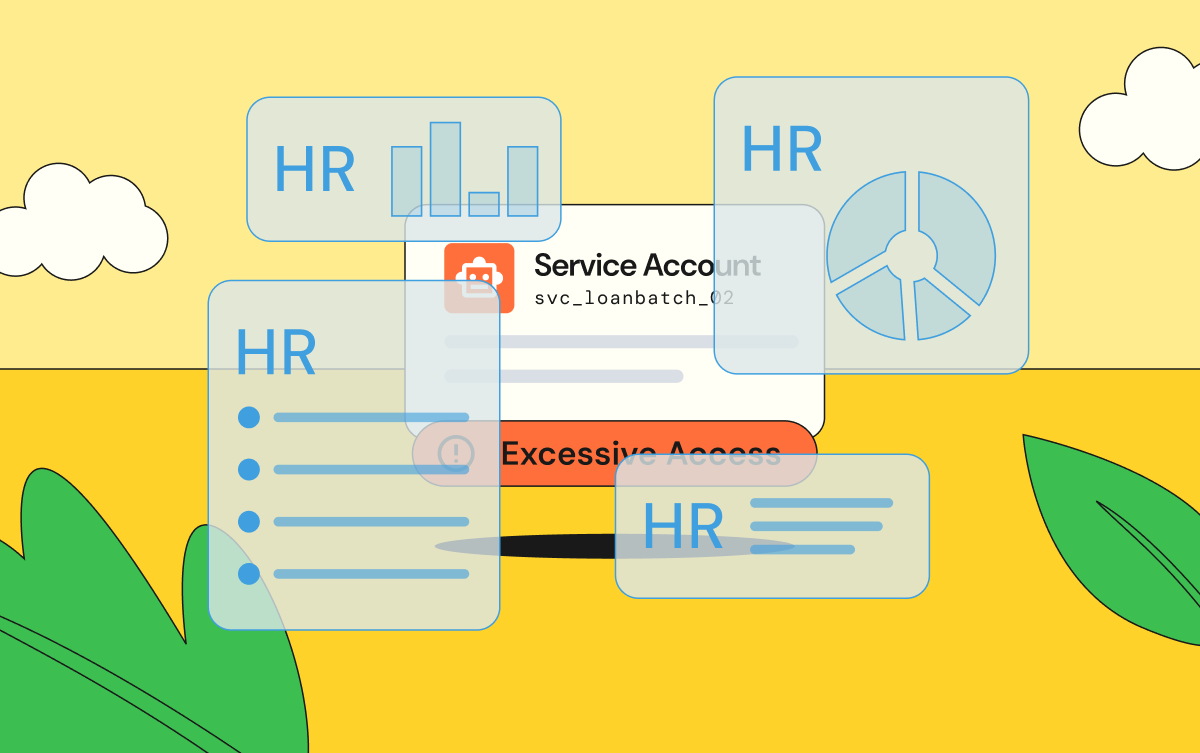

.png)