Author

Linx Team

Linx Team

The Linx team is on a mission to redefine identity security for the modern enterprise. We're a group of security practitioners, engineers, and builders working on an AI-native platform that maps, monitors, and governs every identity — human, non-human, and agentic. Here, we share what we're learning about identity, governance, and the future of secure access.

Linx Team

Articles by

Linx Team

How to improve User Access Reviews
Identity Governance

User Access Reviews (Access Certifications): Why They Fail and How to Fix Them

Apr 14, 2026

Introduction

As identity-based breaches continue to rise and access misuse becomes a primary attack path, organizations rely on User Access Reviews (UARs) to answer two seemingly simple questions: Who can access what, and should they still be able to?

In theory, this is where stale access should be caught. In reality, it often slips by unnoticed.

Consider a common scenario: A sales operations manager moves into a revenue analytics role. Months later, during a quarterly access review, their new manager is asked to approve continued access to Salesforce admin permissions, Snowflake read access, and a legacy CRM role labeled “SalesOps_Admin_v2.” Faced with dozens of similar decisions, tight deadlines, and little context, the manager approves everything. The review is completed on time. The access persists.

As a result, risk compounds quietly. If an attacker later compromises the account, those lingering admin permissions provide a direct path into sensitive systems, and the activity may appear legitimate because the access was formally approved. By the time unusual behavior is detected, the damage may already be done, hidden behind what looks like valid access.

This article takes a closer look at what User Access Reviews are, why they often fail in enterprise environments, and what actually improves them, including how teams can evolve beyond periodic certification to continuous identity governance.

What Are User Access Reviews and Why Do Organizations Use Them?

User Access Reviews, sometimes referred to as Access Certifications, are formal review processes used to confirm that individuals retain the right level of access to systems, applications, and data. 

In modern environments, access needs change constantly. People join teams, move roles, take on short-term projects, and leave. Systems are added, deprecated, or reconfigured. Without a mechanism to revisit access decisions, privileges tend to accumulate. 

UARs counter that drift before it turns into persistent risk, making them a key control for security and compliance programs. Security teams rely on them to reduce unnecessary access, regulators expect them, and auditors ask for evidence.

But UARs are much more than box-checking exercises: They’re crucial for combatting the consequences of outdated/over-permissive access, which include an increased blast radius, lateral movement opportunities, and data exposure. Left unchecked, excessive access can also undermine segregation of duties, increase the likelihood of insider misuse, and complicate incident response when permissions are overly broad or poorly documented.

What Do You Actually Review During a UAR?

On a technical level, a User Access Review usually evaluates three core elements:

  • First, the user or identity. This may include employees, contractors, service accounts, or other non-human identities. Reviewers need to understand who the identity represents and their current role.
  • Second, the application or system. This could be a SaaS tool like Jira or Workday, a cloud service such as AWS, or an internal application. Each system has its own access model and risk profile.
  • Third, the entitlements or permissions. These are certain roles, groups, or privileges granted, such as “Jira Project Admin,” “AWS IAM PowerUser,” or “NetSuite AP Clerk.”

A typical review asks an approver to confirm whether each combination of user, system, and entitlement is still required. Teams often formalize this process using a standardized User Access Review checklist to ensure reviews are consistent across systems.

How Are UARs Usually Run?

Most organizations run User Access Reviews as periodic campaigns on a quarterly, semiannual, or annual basis. Security or identity teams first collect access data from identity providers, SaaS applications, and cloud platforms. The data is grouped by user or application and routed to managers, application owners, or both, depending on the organization’s review model. 

In manager-led reviews, line managers are asked to certify all access for their direct reports. In application-owner models, system owners validate entitlements for all users of their application. Two-tier approaches combine both, often starting with the manager and escalating higher-risk access to application owners.

In many enterprises, these reviews are still driven by spreadsheets exported from systems that are then emailed to reviewers, tracked manually, and reconciled at the end of the cycle. Evidence is archived for audit purposes.

This model made sense when environments were smaller and change was slower. Today, it struggles to keep up.

Why Do User Access Reviews Break Down in Practice?

In most enterprises, access reviews fail not because teams ignore them but because the process buckles when it meets real-world complexity. 

Specifically, ineffective UARs are defined by a lack of context, unclear ownership, a “rubber-stamping” mentality, suboptimal evidence collection, and a lack of real-time coverage. 

Why Is There So Little Context in Reviews?

The most common UAR failure mode is a lack of context. Reviewers are asked to make decisions without understanding what the access enables.

A manager reviewing access for an engineer might see roles like “AWS_ReadOnly,” “AWS_PowerUser,” and “CustomPolicy_ProdOps.” Without visibility into what those roles allow or how they are used, the safest path becomes approval.

Who Actually Owns Access Decisions?

Ownership ambiguity compounds UAR's other failure points. In many enterprises, it’s unclear who is accountable for access: managers, application owners, or security teams. This can lead to access decisions that are delayed, inconsistently applied, or approved without meaningful inspection.

Manager-only reviews are common, but managers may not understand application-specific permissions. App-owner reviews improve technical accuracy, but app owners may not know whether access matches a user’s role.

Organizations that require approval from both the manager and the application owner improve coverage but also increase friction and review fatigue.

Why Do Reviews Turn Into Rubber Stamping?

Faced with long lists and tight deadlines, many reviewers default to approving everything. After all, reviewers are rarely rewarded for revoking access, but they are penalized socially or operationally when revocations cause disruption. Over time, this creates a culture in which UARs are seen as a compliance chore rather than a security control.

What Makes Evidence Collection So Hard?

Collecting access data across SaaS, cloud, and on-prem systems is difficult. Entitlements change. Integrations fail. Access lists go stale before reviews start. This means data is often inaccurate, incomplete, or inconsistently labeled. 

Inaccuracies can be introduced downstream as well. After the review, teams must package evidence for auditors: who reviewed what, when decisions were made, and what actions were taken. In spreadsheet-driven workflows, this is a manual and error-prone process.

Why Is the Security Value So Short-Lived?

Even when reviews are completed carefully and on time, their impact fades quickly in dynamic environments. As we’ve seen, access changes every day as people switch roles, join new projects, or gain temporary permissions that are never revisited.

By the time a quarterly or annual review is finished, parts of it are already outdated. New access has been granted, old access has lingered, and the risk profile has shifted. The end result? Point-in-time reviews reassure auditors but only provide limited, short-lived protection for the organization.

What Actually Improves UARs?

For many teams, improving reviews means rethinking the tools they rely on. Modern User Access Review software shouldn’t just collect approvals; it should help reviewers understand risk, usage, and context in a single place. This is how organizations can start to automate User Access Reviews without sacrificing decision quality.

To understand the difference robust tooling makes, let’s walk through the principles that actually improve reviews:

  • Full Context: In a mature enterprise UAR cycle, access data is normalized across SaaS, cloud, and internal systems so reviewers aren’t working from fragmented exports. A manager reviewing an engineer’s access can see their current role, recent access usage, and whether permissions are common for peers in similar roles. For high-risk systems, application owners are brought in when technical judgment is required.
  • Iterative Improvements: When revocations happen, they aren’t treated as one-off cleanups. They become signals. If multiple users lose the same entitlement, that role definition is likely too broad. If access lingers after role changes, joiner-mover-leaver workflows need to be adjusted. Over time, this feedback loop reduces review volume and improves the quality of upstream access.
  • Cross-Team Alignment: Security and business teams need a common understanding of what access means and why it matters. Without that shared understanding, reviews become mechanical exercises rather than informed risk decisions.

Taken as a whole, these patterns explain why minor process tweaks tend to have limited impact. Real improvement comes from an approach that scales as the organization evolves.

How Does Linx Security Approach User Access Reviews?

Linx Security treats UARs as an integral part of continuous identity management, shifting teams from reactive certifications to proactive risk reduction.

Here’s how:

Figure 1: User access review decisions in Linx
  • Automation: Linx automates governance processes to decrease operational burden. For example, Linx can automatically remove or revoke access once a reviewer approves the change, ensuring that decisions made during the review process are executed immediately and consistently across connected systems. Workflows, tracking, and evidence collection are automated end to end. Review decisions are logged as they happen, creating audit-ready evidence by default.
  • Context From a Single Pane of Glass: Reviewers see identity attributes, role context, access usage, and risk signals together, guiding smart access decisions.

How Are Linx UARs Intelligent?

Most review processes treat all access the same, regardless of risk or usage. Linx starts from the opposite premise: Not all permissions matter equally.

Linx replaces access lists with clear recommendations that help reviewers focus on decisions that actually reduce risk (such as identifying unused admin roles or access that violates least-privilege expectations).

Access profiles in Linx group related permissions together so reviewers can evaluate access at the profile level rather than reviewing many individual entitlements:

Figure 2: Access profiles summary in Linx

What Does Continuous Governance Look Like?

Continuous governance shifts the role of access reviews. Rather than serving as the primary control, reviews act as a validation step on top of ongoing monitoring and remediation.

“Ongoing” is the key word here. Linx continuously monitors access as it changes. Rather than letting risk accumulate until the next scheduled certification cycle, Linx flags risky access combinations, unused privileges, and newly elevated roles in real time. 

The Linx MCP Server exposes governance actions through policy-driven automation interfaces, allowing identity teams and automated tools to remove excessive or outdated permissions when they no longer align with role expectations or governance policies.

The main takeaway? Linx empowers teams to remediate issues immediately or queue them for review, instead of only uncovering them during a scheduled review months later.

In practice, this means UARs become shorter, more targeted, and easier to defend. Auditors still get clear certification records, but those records are backed by continuous monitoring and remediation, not last-minute cleanup.

Conclusion

As environments grow more complex and identity becomes the primary security perimeter, point-in-time certifications alone are no longer enough. Organizations that rely solely on periodic reviews will continue to struggle with rubber stamping, incomplete context, and access that drifts out of alignment with real-world roles. The best IGA solutions, like Linx, automate access reviews and provide real-time visibility and governance.

The path forward isn’t eliminating UARs. It’s strengthening them with context, automation, and continuous oversight so reviews become informed validation checkpoints rather than large-scale cleanup exercises.

If you want to see how continuous identity governance changes the equation, request a demo to experience Linx’s approach to User Access Reviews.

Linx Security Raises $85M
Company News

Linx Security Raises $50M Series B as Identity Becomes Security’s Biggest Failure Point

Mar 31, 2026

NEW YORK, March 31, 2026 - Linx Security, a pioneer in modern identity security and governance solutions, today announced a $50 million Series B financing round led by global software investor Insight Partners, with continued participation from Cyberstarts and Index Ventures. This brings Linx’s total funding to $83 million. The 100-person startup has already signed multimillion-dollar contracts with banks, healthcare companies, and Fortune 500 firms, governing millions of identities globally.

As enterprises adopt cloud, automation, and AI, the number of identities inside organizations has exploded, now spanning not just employees, but machines, services, and AI agents, which outnumber humans by roughly 80 to 1. Traditional identity governance tools, built for a smaller and more static environment, have struggled to keep up, leaving security teams with limited visibility, slower response times, and expanding risk at a time when nearly 90% of security incidents involve identity-related failures.

Founded in 2023 by cybersecurity veterans Israel Duanis and Niv Goldenberg, the company provides an AI-native platform that continuously maps, monitors, and governs all identities across the enterprise, human, non-human, and agents alike. By replacing manual processes and periodic reviews with real-time detection and automated remediation, Linx enables organizations to reduce identity risk without slowing down the business.

“Identity governance has shifted from a back-office compliance function to a core pillar of enterprise security,” said Israel Duanis, CEO and co-founder of Linx Security. “This funding allows us to scale faster and meet the growing demand from organizations that need real-time visibility and control over every kind of identity operating in their environment.”

Linx recently introduced Linx Autopilot, the first autonomous AI agent designed to fundamentally change how identity governance is managed. Moving away from the constraints of manual oversight and reactive processes, Autopilot continuously monitors identity activity, detects meaningful changes in real time, and takes action, either resolving issues automatically or escalating when needed. By operating across human, machine, and agents, it enables security teams to move from periodic control to continuous, intelligent enforcement, without adding operational overhead.

The new funding will support Linx’s next phase of growth, including expanding its global footprint, scaling enterprise go-to-market efforts, and accelerating product development around autonomous identity governance.

"Linx is reimagining IGA architecture to tackle the emerging problem of agent governance. The company’s AI-first approach, along with the introduction of Linx Autopilot, well positions Linx in this critical category and we're thrilled to partner on this journey,” said Teddie Wardi, Managing Director at Insight Partners.

"We backed Linx at inception because we believe identity would become the core control layer of modern security,” said Gili Raanan, Founding Partner at Cyberstarts. “AI agents are rapidly expanding the number of identities operating inside organizations, turning identity governance from a back-office compliance task into a board-level risk. Linx is building the platform to govern that new reality.”

About Linx Security

Linx Security is the AI-native identity security and governance platform built for the era of AI agents and non-human identities. Founded in 2023 and headquartered in New York, the company delivers unified visibility, continuous risk detection, and autonomous remediation across every identity in the enterprise - human, non-human, and AI. Backed by Insight Partners, Index Ventures, and Cyberstarts, Linx Security is trusted by identity-intensive enterprises globally to eliminate identity risk without slowing the business. For more information, visit www.linx.security.

About Insight Partners

Insight Partners is a global software investor partnering with high-growth technology, software, and Internet startup and Scale-up companies that are driving transformative change in their industries. As of June 30, 2025, the firm has over $90B in regulatory assets under management. Insight Partners has invested in more than 875 companies worldwide and has seen over 55 portfolio companies achieve an IPO. Headquartered in New York City, Insight has a global presence with leadership in London, Tel Aviv, and the Bay Area. Insight's mission is to find, fund, and work successfully with visionary executives, providing them with tailored, hands-on software expertise along their growth journey, from their first investment to IPO. For more information on Insight and all its investments, visit insightpartners.com or follow us on X @insightpartners.

Anatomy of an Identity Breach cover
Identity Security

Anatomy of an Identity Breach: The 7 Steps Attackers Repeat (With Real Examples)

Feb 9, 2026

TL;DR

  • Attackers typically follow seven steps to carry out an identity attack, and there are ways to protect yourself at each stage of the kill chain.
  • Always check if your credentials have appeared in data leaks and change them, implement phishing-resistant MFA, take advantage of JIT for admin accounts, and use the principle of least privilege.
  • Preventing attacks is just one piece of the puzzle; you should also take measures that limit the blast radius, ensure you can detect issues if they pass your prevention mechanisms, and leverage automated workflows that respond to issues.

Why Do Attackers Prefer Identity-Based Attacks?

Identity is now the fastest route to critical systems: Humans, non-human identities (like service accounts, workloads, and API keys), SaaS apps, cloud control planes, and AI agents all operate through permissions and tokens that can give attackers a dangerous foothold.

Raising the stakes, identity attacks are more likely to succeed than other attacks, and they’re also harder to detect. When a threat actor uses one of your credentials, they blend in with legitimate traffic, and most security tools miss the subtle signs that point to a compromise.

While it’s impossible to build perfect prevention against all of these attacks, you can implement ironclad defenses. The key is to take a layered approach. With defense–in-depth strategies in place, when one layer is compromised, another layer will block the attack, whether it stems from phishing, credential stuffing, token harvesting, or another identity attack vector.

In this article, we’ll explore the practical steps attackers take to compromise identities and provide hands-on advice for thwarting them at each stage of the identity kill chain.

What are the 7 Steps Attackers Use for Identity Breach?

Attackers typically follow these steps to carry out an identity attack:

  1. Initial access
  2. MFA or “friction” bypass
  3. Privilege gain
  4. Lateral movement via identity
  5. Persistence
  6. Taking action on objectives (data access, fraud, ransomware enablement)
  7. Evasion and reentry

Each step links together, enabling the next step in the chain. As a result, a minor compromise can lead to widespread breaches because of privilege escalation, lateral movement, and persistent actions.

Let’s take a look at each step in detail.

Step 1: Initial Access (Credentials or Foothold)

An attacker can obtain access to credentials through phishing campaigns, reused passwords, accidentally exposed secrets in VCS systems or CI/CD pipelines, or by purchasing compromised accounts on the dark web. 

Reused passwords are especially problematic. Despite security training programs, many employees continue to use the same passwords across personal and professional accounts. This practice creates a domino effect: Compromised access to one service compromises access to many others.

What’s a Real-World Example?

In 2021, attackers gained access to Colonial Pipeline’s systems by using a compromised password for a VPN account that didn’t have MFA enabled. This account actually belonged to a former employee, but it was never disabled after their termination. The threat actors used this foothold for a ransomware attack against the company, which provides fuel for about half of the East Coast. System outages cascaded into fuel shortages, and a state of emergency was declared in 17 states and Washington, D.C. Restoring operations took a $4.4 million ransom payment.

How Can Organizations Keep Systems Safe?

  • Prevent: Identify and disable all inactive accounts, as they can also pose security risks if compromised. Ensure MFA is enabled for all your users.
  • Limit the Blast Radius: Reduce the number of externally accessible services, and require additional passwords and MFA for anything important.
  • Detect: Monitor for unusual activity, like authentication attempts from unfamiliar locations or devices or numerous failed login attempts that signal credential stuffing.
  • Respond: Leverage automated workflows to immediately disable compromised accounts.

Step 2: MFA or “Friction” Bypass

MFA is just the first line of defense, and it’s not a silver bullet. When attackers encounter MFA, they can employ tactics to get around it. For example, fatigue attacks involve sending a flood of MFA approval requests to your users until they accept.

Social engineering isn’t the only risk, though. Phone-based MFA is vulnerable to SIM swap attacks, which could allow attackers to intercept your SMS codes.

What’s a Real-World Example?

In 2022, Uber experienced a data breach that began when a hacker purchased an employee’s credentials on the dark web. After encountering MFA, the attacker impersonated a security employee, initiated a fatigue attack, and asked the compromised user to accept the MFA requests he sent. Once the fatigue attack proved successful, the attacker gained access to Uber’s VPN; from there, he moved laterally, ultimately gaining full admin privileges.

How Can Organizations Keep Systems Safe?

  • Prevent: Use strong MFA mechanisms (Authenticator Apps, Hardware keys or Passkeys) for all accounts if possible, otherwise at least for privileged ones. Implement phishing-resistant MFA, and establish strict proof-of-identity requirements for help desk employees.
  • Limit the Blast Radius: Require multiple approvals for high-privilege account resets; require additional passwords for sensitive services.
  • Detect: Implement MFA monitoring that automatically denies a flood of requests, and require human approval (with identity verification) before users can add a new authentication device.
  • Respond: Whenever you detect suspicious MFA activity, temporarily restrict access for your user until verification is complete.

Step 3: Privilege Escalation

Accounts with permanent administrative rights are exactly what malicious actors are looking for. Instead of standing privileges, a better move is to grant temporary admin privileges through a mechanism like just-in-time access. 

Another problem to look out for? When secrets hygiene is not implemented consistently, and secrets like API keys are stored in VCS systems or wikis, there are simple opportunities for privilege escalation.

What’s a Real-World Example?

In October 2023, Okta experienced a breach after an attacker compromised a customer support engineer’s account. This account had administrative rights, allowing the attacker to view HTTP Archive (HAR) files containing cookies and session tokens uploaded by customers during support troubleshooting sessions. By stealing session tokens, the attacker was able to impersonate legitimate users across different organizations.

How Can Organizations Keep Systems Safe?

  • Prevent: Implement just-in-time (JIT) access for administrative accounts.
  • Limit the Blast Radius: Ensure admin accounts are specific to a single service and don’t have cross-service privileges.
  • Detect: Implement alerts for role changes or permission modifications.
  • Respond: Build in automation that responds to a suspicious account by revoking elevated access and reviewing recent actions.

Step 4: Lateral Movement via Identity (SSO, SaaS, Cloud Control Plane)

It goes without saying: When attackers gain elevated privileges, what they’re really gaining is the ability to move laterally through your connected systems. For example, a compromised SSO can unlock access to dozens of applications, and cloud control planes can be easily accessed from anywhere if you have valid tokens.

What’s a Real-World Example?

In 2023, an attacker known as Storm-0558 leveraged forged Microsoft authentication tokens to access enterprise email accounts. The mechanism of attack? Lateral movement from MSA (customer) keys to the Azure AD enterprise system. The breach affected approximately 25 organizations, primarily government agencies, including U.S. State Department email accounts. 

How Can Organizations Keep Systems Safe?

  • Prevent: Avoid creating “super admin” accounts that can access all your systems.
  • Limit the Blast Radius: Remove unnecessary permissions that might offer access to systems your users don’t actually need access to.
  • Detect: Implement monitoring for unusual access patterns, especially accounts accessing systems they’ve never accessed before.
  • Respond: When you detect lateral movement, isolate the compromised identity and review access logs.

Step 5: Persistence (Tokens, OAuth Apps, Service Principals, Backdoor Identities)

As soon as an attacker gains access to your systems, they’ll look for ways to maintain it if the original entry point is detected and blocked. Persistence techniques include the creation of OAuth applications, service principals, and API keys. These mechanisms are highly effective because they are often mistaken for legitimate administrative objects and can even survive password resets.

What’s a Real-World Example?

In 2025, Salesforce warned customers that a group called ShinyHunters was using vishing (voice phishing) to trick help desk staff into resetting MFA on privileged accounts. Once they got a foothold in a Salesforce instance, the attackers created malicious OAuth applications that allowed them to maintain persistent access.

How Can Organizations Keep Systems Safe?

  • Prevent: Control who can create OAuth applications, and establish lifecycle governance for service principals to ensure they have expiration dates.
  • Limit the Blast Radius: Restrict the permissions that can be granted to OAuth applications (for example, in AWS, use permission boundaries or service control policies to limit what IAM roles your OAuth apps can assume); ensure your service principals respect the principle of least privilege (PoLP).
  • Detect: Alert on the creation of new applications that require extensive permissions.
  • Respond: Maintain an inventory of authorized OAuth apps and service principals, and remove any new apps that are created outside of your process.

Step 6: Action on Objectives (Data Access, Fraud, Ransomware Enablement)

Identity compromise is rarely the final objective for an attacker. Usually, it’s only a stepping stone on the way to accessing data, committing fraud, or enabling ransomware.

What’s a Real-World Example?

In September 2023, MGM Resorts experienced a devastating ransomware attack that led to more than a week of operational problems across 30 resorts, like shutdown slot machines, offline ATMs, and locked-out guests (the downside of digital hotel keys). Attackers gained access by researching employees on LinkedIn, then calling the help desk to request a password reset in their names.

How Can Organizations Keep Systems Safe?

  • Prevent: Implement PoLP on both the infrastructure and data layer; require additional verifications before a user can perform sensitive actions (e.g., ask users to reauthenticate with MFA or ask them for a manager’s approval).
  • Limit the Blast Radius: Prevent the creation of “super admins.” If any exist in your systems, downgrade their privileges. 
  • Detect: Alert on mass downloads or unusual queries against sensitive databases.
  • Respond: Implement automation that can quickly restrict access when suspicious data is detected.

Step 7: Cover, Repeat, Expand (Defense Evasion + Re-Entry)

Powerful attackers try to reduce their visibility as much as possible by altering audit logs and disabling security tools. They also wreak havoc by creating multiple re-entry points. Many times, this goes unnoticed: In the wake of a breach, organizations can get tunnel vision and focus only on the initial entry point.

What’s a Real-World Example?

In 2023, a threat group called LockBit demonstrated impressive defense-evasion techniques, accounting for $91 million in ransomware payments in the U.S. alone. The secret to their success? They played the long game. When they gained access to their victims’ systems, they didn’t deploy ransomware right away; they first covered their tracks and expanded their foothold. Malware deployment and ransom demands came weeks or months later.

How Can Organizations Keep Systems Safe?

  • Prevent: Implement audit logging, and forward logs to immutable storage.
  • Limit the Blast Radius: Ensure that no one can disable security monitoring, not even for testing purposes.
  • Detect: Alert on log-retention policy changes and treat them as high-priority security incidents.
  • Respond: Implement automation that can quickly revoke access for a compromised identity across all systems.

What Are Best Practices for Reducing Identity Breaches?

Follow this checklist to cut your identity risk:

  • Start by Gaining Visibility: You can’t protect what you don’t see, so inventory your identity sprawl and identify password-only external access.
  • Review Admin Privileges: Determine who has admin rights, and analyze if they actually need all those permissions.
  • Test How Fast You Respond to Issues: Identify how much time it takes to revoke all access for a specific identity. Use this test result as a baseline for improvement.
  • Deploy Phishing-Resistant MFA: Phishing-resistant MFA needs to be implemented everywhere, as attackers often compromise lower-priority systems first and then move laterally.
  • Eliminate Exposed Credentials and Leaked Secrets: Scan your code repositories, wikis, and shared documents for exposed credentials. Implement automated scanning in your CI/CD pipelines to prevent secret leaks.
  • Protect Audit Logs: Audit logs should be stored in immutable storage to ensure they cannot be altered after creation.
  • Create Alerts: Alert on role changes, app consents, unusual MFA behavior, and federation changes.
  • Implement JIT Elevation: You don’t need persistent admin permissions. Administrative access should be granted on demand for a specific time period.

Conclusion

Identity breaches are the easiest way in for attackers, and they usually follow a predictable pattern.

To disrupt this pattern, shifting left with stronger prevention is a start, but it’s not enough. You’ll also need to build powerful detection capabilities and automate quick responses to threats. Your motto should be, “Make it harder to get in, harder to escalate, harder to persist, easier to detect, and faster to contain.”

At Linx Security, we help organizations build robust identity security that addresses each stage of the attack chain. Book a demo with one of our engineers to learn more about how we can keep your systems safe from identity breaches.

Turn any identity question into a scheduled report cover
Identity Security

Turn Any Identity Question Into a Scheduled Report

Dec 29, 2025

TL;DR

Any identity-related question you ask once, might be worth asking again. What contractors have admin access to company apps? How many AI agents are currently in use? How many partially offboarded users do we have? AI-scheduled reports let you turn any question into a recurring report that runs on your schedule.

The Linx AI Agent

The Linx AI Agent sits on top of your connected identity graph (users, non-human identities, entitlements, resources, and the relationships between them) and uses reasoning to help you find insights and take action. You use it by asking plain-English questions (for example, who has admin access in a given system, or where risky access is coming from), and it returns answers plus context-based recommendations for common workflows like access requests, user access reviews, access profiles, and custom reporting. Where you’ve granted permission, it can also trigger the next step, like kicking off remediation options or executing an approved action, so investigations and cleanups don’t die in tickets and spreadsheets.

AI-scheduled reports

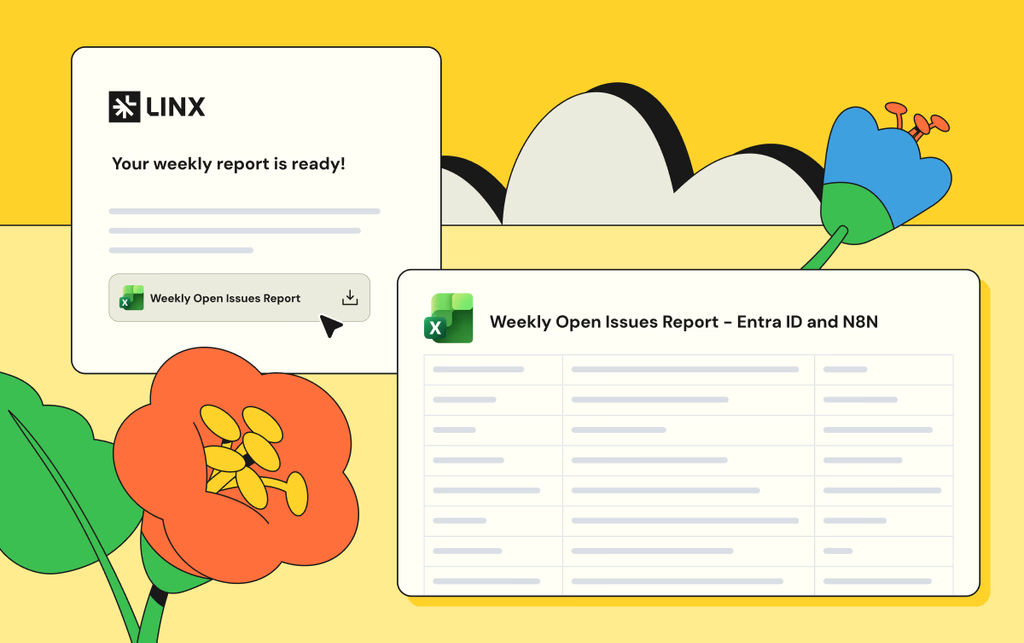
Using the Linx AI agent, you can turn any question into a recurring scheduled report.  For example, one customer recognized a pattern of questions he always gets on a weekly meeting, so he automated the answers for those into reports that land in his inbox every week before the meeting. 

To set up a scheduled report, start by asking a question:

You can keep investigating until you get the data you want, once you do, tell the agent to turn it into a scheduled report:

And that’s it! You’re also able to configure the report to add additional recipients, change the frequency, or manually run the report now. Once you set it up, the report will show up on the configured inboxes on the schedule you set:

Example use cases

Any question that can be answered with data neatly arranged in a table can be turned into a report. Here are some of the most common questions we see our customers use:

  1. “List dormant admin accounts” - The AI Agent will find accounts with elevated privileges that haven't been used recently, as these could potentially present a security risk. Customers often run a recurring check for these accounts.
  2. “Detect partially offboarded users” - A partially offboarded user is someone whose lifecycle status indicates they should be fully deactivated, but they still have active accounts in some applications. This represents an incomplete offboarding process and poses a security risk. Large companies tend to have more churn, so identity teams regularly run this check to reduce their attack surface as part of their identity lifecycle management process.
  3. “List all orphaned accounts” - This reveals accounts that exist in your applications but have no corresponding identity in your authoritative identity sources (HR systems or Identity Providers like Okta/Azure AD). These "orphaned" accounts often result from incomplete offboarding processes, manual account creation, or integration gaps. Orphaned accounts are a significant security risk because they exist outside your normal identity governance processes and are unmonitored, unmanaged, and often forgotten.
  4. List all AI agents with their permissions and resource access” - With AI agents on the rise, we’re seeing identity teams prioritizing visibility and governance over them. This report provides a complete inventory of all AI agents in your environment, showing their names, associated applications, tools and permissions they have access to. As AI agents are autonomous software entities that can interact with critical systems and data, they represent a growing security and governance challenge. 

Get Started

Linx customers typically get valuable insights on day one. To learn more about how Linx can work for you, book a demo with one of our specialists. 

JIT cover
Identity Security

Just-In-Time Access Primer: From Humans To Agents

Nov 10, 2025

Most organizations still deal with a lot of standing access. A user gets elevated access and we forget to revoke it, or someone switches roles and keeps their access from the old one. Our attack surface grows with each standing permission. Just-in-time access flips that default. You grant only what is needed, exactly when it is needed, and you remove it as soon as the work ends.

In this article I hope to give identity and security teams a practical path to make JIT access the standard operating model. We define JIT, show how it fits with RBAC and ABAC, explain where it works best, explore how agents change the picture, and outline how to build, roll out, and measure a program that improves both productivity and security.

What is JIT (Just-In-Time)?

Just-in-time access issues time-bound and scope-bound permissions on demand, then revokes them automatically. Think of it as least privilege with a clock and a clear scope. Unlike a standard access request, expiry is part of the grant. No one needs to remember to remove anything later.

JIT began as an emergency scenario, like when an admin needs elevated access quickly to resolve an urgent issue. Modern identity platforms and cloud controls now support it across a much wider set of tasks. JIT can be the default for any permission you do not use daily, including sensitive SaaS roles, database privileges, cloud consoles, CI pipelines, and internal admin functions.

How JIT Works With RBAC and ABAC

Role Based Access Control assigns access based on membership in a role. You define a role once and map it to entitlements. For example, everyone with the Marketing role gets HubSpot and Canva.

Attribute Based Access Control grants access when a policy evaluates to true across attributes of the user, resource, action, and environment. The policy defines who qualifies, not a static group. For example, grant HubSpot and Canva to users whose role is Marketing, employment type is FTE, location is US, and manager is John Smith.

Just in time adds duration and task. Keep the baseline role small. Use ABAC to narrow eligibility and conditions. When a task requires elevation, issue a short-lived entitlement tied to a specific action and resource. ABAC decides who qualifies under current conditions, and JIT limits how long and how broadly the grant applies. You can also use ABAC to block requests outright if the requester does not meet basic requirements like MFA or compliant device.

When is it Time for Just-In-Time?

JIT fits two patterns. The first is routine elevation on a predictable cadence. Consider quarter-close finance tasks, maintenance windows, or periodic schema changes. The second is ad hoc work where someone needs temporary rights to unblock an incident or enable a deployment.

Ownership matters in both cases. Requestors should not need to be security experts. Application and entitlement owners define what can be JIT-granted, under which conditions, and for how long. Security teams codify guardrails and step in for high-risk changes or separation of duties checks. Approvals start with the owner who understands the operation, with security engaged when risk or policy requires it.

A simple example illustrates the idea. A product manager occasionally needs admin rights in a support tool to add a contractor. Today that person might keep admin forever because it is convenient. With JIT, they request a task-scoped admin profile that expires in X minutes. The system records who, what, why, and for how long access was granted. The job gets done, and the background risk stays low.

Agents And Non-Human Identities

AI agents are now autonomous actors inside the enterprise. They make decisions, access systems, and execute tasks with little human oversight. That makes them identities in their own right, not just wrappers around service accounts or API keys. Treat them as first-class identities with owners, clear purposes, and explicit scopes.

Most teams cannot answer three basic questions today. Which agents are running in our environment. What systems can they access? What permissions do they actually hold? This visibility gap is the core risk as adoption accelerates.

Agents behave differently from traditional NHIs. A service account follows fixed logic. An agent interprets context, adapts, and tries alternate paths until it completes the task. It operates at high speed and at scale. If it inherits broad standing rights, the blast radius grows quickly.

The model that works looks a lot like how you govern people, with tighter controls and shorter windows. Start with an agent registry. Record owner, purpose, allowed tasks, baseline scopes, and last activity. Link each agent to the machine credentials it may use and to the data it can touch. Represent these relationships in your identity graph so every request is evaluated in context.

Just-in-time access is essential for agents. Give the agent only the permission it needs for the specific task and for a short period. Do not let it reuse a human sponsor’s standing rights. When the timer expires, revoke tokens, sessions, and keys.

Round out the guardrails with a small set of practices that scale:

  • Identity profiles that define purpose, baseline permissions, and ownership
  • Human-in-the-loop approval for any elevation beyond the baseline
  • Continuous monitoring for unused rights, anomalous behavior, or scope creep
  • Automated identity risk remediation that revokes excess, suspends risky agents, and notifies owners

This approach keeps autonomy without losing control. You gain clear accountability, smaller blast radius, and audit-ready records for every decision. Most important, you align agent productivity with least privilege by default, not as an afterthought.

A JIT Architecture That Scales

JIT thrives when four layers work together and feed one another.

1) Visibility

Start with an accurate catalog of identities, entitlements, applications, resources, and owners. Include people, service accounts, workload identities, and agents. Map who can grant what. Assign ownership for every entitlement and admin function. Integrate data from your IGA, directories, cloud accounts, SaaS admins, and data platforms. Without this map you cannot know what you are granting or who should approve it.

2) Policy And Decision

Define who can request what, under which conditions, and for how long. Use ABAC to enforce basic security requirements. Link higher risk actions to change records. Tier approvals by risk (what gets auto-approved vs. what needs human review). 

3) Intelligence

Add context to each request. Does the request align with the requester's job title and team? Do other team members have this access? Does the user have a history of violations? Present recommendations that reduce cognitive load for approvers. The goal is not to replace judgment. It is to give the resource owner structured context so they can decide quickly and confidently.

4) Fulfillment And Audit

Provision at the smallest practical unit. Prefer ephemeral roles, short-lived tokens, and session policies rather than group adds. Revoke everything when the timer expires, including sessions and keys. Write a durable audit trail that captures requestor, approver, reason, scope, and duration. Index every grant so user access reviews become faster and more meaningful.

Rolling Out JIT

Start where the impact is highest. Choose a sensitive SaaS app and a production cloud account. Inventory admin actions, define owners, and mark which actions are JIT-eligible. Set short default durations and clear approval paths. Run a small pilot with people who understand the tasks and can provide actionable feedback.

Limit the audience at first. You can hide the JIT entry point from general users until owners and security are comfortable with the flow. As confidence grows, expand who can request JIT and add more actions and teams.

Make audit an explicit outcome. Every JIT grant should produce an easy to read record for compliance. This reduces manual effort during periodic reviews and gives auditors clear evidence of least privilege.

Guardrails For Agents

Agents need the same rigor as people, plus a few extras. Maintain a registry of agents with owner, purpose, allowed tasks, and data sensitivity. Use short-lived credentials with narrow scope. Avoid reusable keys and prefer brokered, time-bound tokens. Require human initiation for scope changes. Agents may request within their allow list but cannot extend it on their own. Build a kill switch that revokes all agent tokens at once. Connect it to anomaly detection so you can respond quickly without guesswork.

Measuring JIT Success

A focused set of metrics shows progress. Track the percent reduction in standing high-risk entitlements. Measure mean time to elevation and approval success rate. Watch median JIT session length and the share that end by auto revoke. Monitor reviewer load during access reviews and incidents linked to stale permissions.

The target state is clear. Elevation for legitimate work is fast. Background risk trends down. If both lines move in the right direction, your model is working.

Common Failure Modes And Fixes

Approval fatigue is the most common failure. Owners and security get overwhelmed by noisy requests. Reduce volume with clear task packs and strong defaults. Use recommendations so owners see a simple approve or deny with the right context.

Temporary group adds are another trap. Groups linger and create blind spots. Prefer ephemeral roles or policy attachments that expire automatically. When groups are unavoidable, require an expiry and verify revocation after the window closes.

Agent inheritance is a quiet risk. Do not let agents reuse human standing rights. Bind them to their own service principals and JIT policies.

How Linx Implements JIT

Linx treats identity as a security problem first. The platform builds a graph that unifies people, non-human identities, and agents across SaaS and cloud. Every request consults this graph in real time. Risk signals and peer comparisons help owners decide quickly. Policies blend RBAC, ABAC, task context, and separation of duties.

Provisioning is granular. The system attaches the smallest scope required for the task, issues short-lived credentials, and tears them down on expiry. The same flow works for human users, workload identities, and agents. Approvals start with the resource owner and escalate by risk, which keeps security focused on the reviews that matter most. Every action writes a complete audit trail so access reviews and certifications become faster and more accurate.

Customers tell us the difference is the security-first lens. The goal is not only faster approvals or cleaner audits. The goal is safe productivity. JIT captures that goal by cutting background risk while keeping teams moving.

Bringing It Together

Standing access is quiet exposure that grows over time. Just-in-time and just-enough access, paired with dynamic access profiles is how you ensure that exposure stays at a minimum. You grant only what is needed, when it is needed, and you remove it on time.

Microsoft partner
Company News

Linx Is a Proud Participant in the Microsoft Security Store Partner Ecosystem

Sep 29, 2025

[New York, New York], USA — [09/30/2025] — Linx today announced its inclusion in the Microsoft Security Store Partner Ecosystem. Linx was selected based on their proven experience with Microsoft Security technologies, willingness to explore and provide feedback on cutting edge functionality, and close relationship with Microsoft. 

"Microsoft is a foundational company in the identity space, and are uniquely aware of the importance of making modern identity security and governance accessible and easy to use. We’re honored to work closely with their security teams bringing that vision to life.”
Israel Duanis, CEO & Co-Founder, Linx
“The Microsoft Security Store is designed to simplify and strengthen how organizations approach cybersecurity. By offering a curated selection of trusted solutions and AI agents, we help Security and IT teams quickly find, purchase, and deploy technologies that integrate seamlessly with Microsoft Security. With simplified billing, streamlined deployment, and verified integrations, the Security Store empowers defenders to accelerate their response, improve their security posture, and focus on what matters most.”
Dorothy Li, Corporate Vice President, Security Copilot, Ecosystem and Marketplace

Linx is collaborating with Microsoft to help shape the development of the Microsoft Security Store, providing feedback on new features, integration experiences, and customer needs. By publishing certified solutions and AI agents that integrate seamlessly with Microsoft Security products, Linx is making it easier for organizations to discover, purchase, and deploy trusted security technologies. Through the Security Store, Linx is helping customers accelerate their security outcomes and simplify operations with solutions that are vetted, easy to deploy, and designed to work together.

The Microsoft Security Store is setting a new benchmark for cybersecurity procurement and deployment. By centralizing a wide range of security solutions and AI agents—organizations can now streamline how they discover, acquire, and operationalize advanced security technologies. With features like industry framework alignment, simplified billing, and guided deployment, the Security Store helps security teams reduce complexity, accelerate adoption, and maximize the value of their security investment

About Linx: 

Linx gives identity teams unified visibility, governance, and risk remediation across human and non-human identities, for cloud, SaaS, on-prem, and custom applications. With a graph-powered view and AI guidance, Linx users enforce least privilege, replace standing access with JIT, and turn UARs from rubber-stamping into evidence-backed decisions.